
Complete the Look is currently attached to generated photo results. It is not shown after a Live Video session and is separate from the recommendation and offer tools in the Virtual Fitting Room.
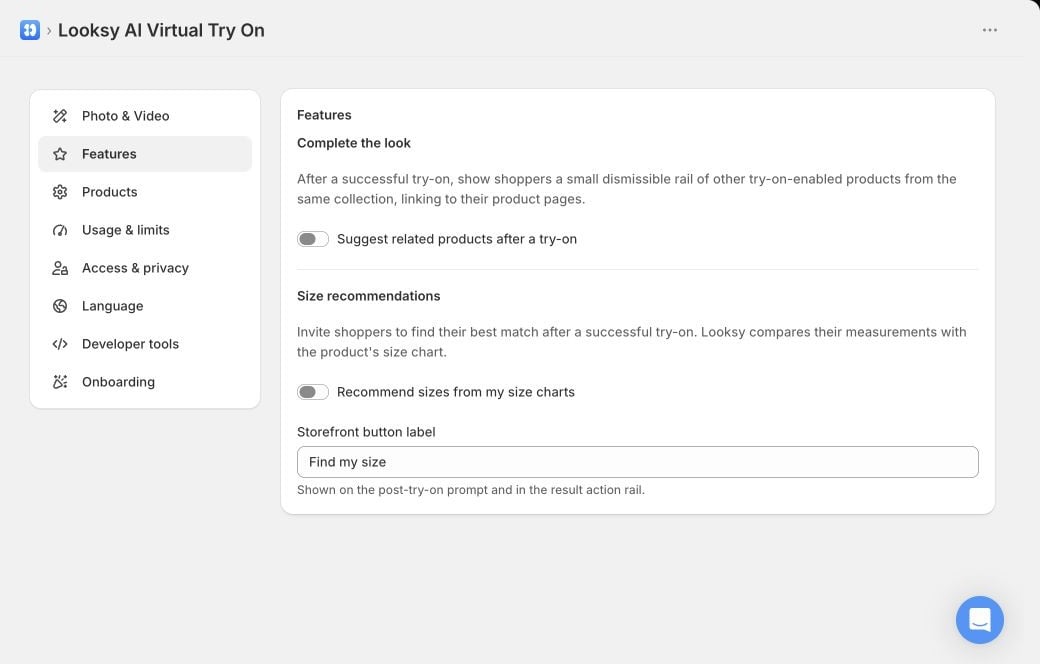
Turn on the product-page related-product rail separately from Size recommendations. This example uses a Looksy test store.
Turn on Complete the Look
- In Shopify Admin, open Looksy.
- Select Settings, then Features.
- Turn on Suggest related products after a try-on.
- Select Save.
- Complete a photo try-on on a representative product page and verify the related-product rail.
Which products can appear?
A related product must:- share a Shopify collection with the current product;
- be active and published;
- have Try On enabled;
- have a featured image;
- be different from the current product.
What shoppers see
After the generated photo result appears, Looksy adds a small dismissible rail to the product media area. Each card can show the product image, title, and price, and links to that product’s page. The rail does not add an item to the cart, change the try-on result, or affect whether generation succeeds. If the shopper dismisses it, it stays closed for the rest of that page view.Test before rollout
- Choose products that share a real merchandising collection.
- Confirm that each related product is published and has Try On enabled.
- Generate a new photo result on desktop and mobile.
- Verify that every card opens the correct product page.
- Check that the rail does not cover important garment details or theme controls.
- Test a product with no eligible related items and confirm that no empty rail appears.
Choose Products
Build a representative set of Try On products.
Theme Setup
Verify Looksy against your current product templates.