
Integration availability can depend on your Looksy environment. Continue only when Shopify Flow appears as an interactive card under Integrations. Shopify Flow must also be available for your store.
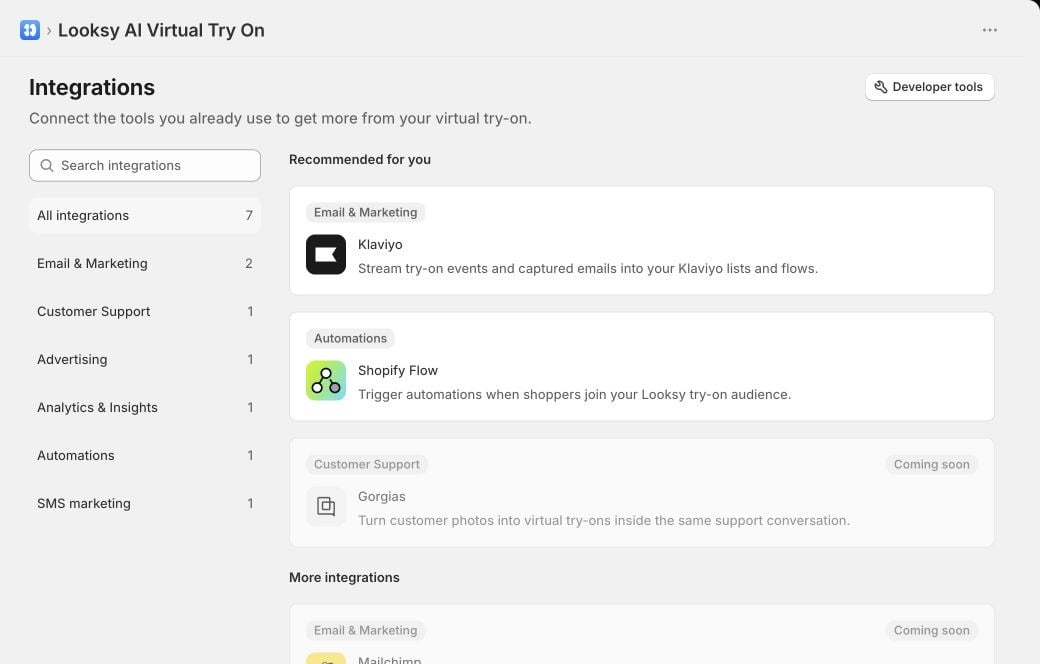
Shopify Flow appears as an available automation integration beside Klaviyo; Gorgias remains Coming soon. This example uses a Looksy test store.
Activate the Looksy audience
- In Shopify Admin, open Looksy.
- Select Integrations, then choose Shopify Flow.
- Check the status shown by Looksy.
Build the workflow
- From the Looksy integration page, select Open Shopify Flow.
- Create a workflow with the Customer joined segment trigger.
- Choose Virtual Try-On Users by Looksy.
- Add the Shopify Flow condition or action you want to run.
- Review and turn on the workflow in Shopify Flow.
Troubleshooting
The Looksy audience is still inactive
The Looksy audience is still inactive
Complete one successful try-on while signed in as a customer, then reopen or refresh the Shopify Flow integration page. Logged-out shopper activity does not create customer-segment membership.
Looksy cannot verify the segment
Looksy cannot verify the segment
Reopen Looksy from Shopify Admin and try again. Looksy does not change Shopify customer segments when verification fails.
I cannot open the audience
I cannot open the audience
Reload Looksy from Shopify Admin so it can prepare the correct Shopify Admin destination, then select View audience in Shopify again.