Ecommerce
AI Product Imagery for Shopify Stores
How Shopify merchants use AI to create studio-quality product images faster, cheaper, and at scale — includes tools, setup tips, and optimization best practices.

AI tools are transforming how Shopify store owners create product images. Instead of spending hundreds of dollars and days on traditional photoshoots, you can now generate professional-quality images in minutes for a fraction of the cost. Here’s why this matters:
Better Engagement: High-quality visuals can increase conversions by up to 40% and reduce returns by 30%.
Cost Savings: AI-generated images cost $5–$50 per product, compared to $50–$500 for traditional methods.
Speed: AI tools produce images 10x faster, cutting production time from days to just minutes.
Customization: Features like virtual try-ons and 3D models help customers visualize products, boosting trust and purchase confidence.
For example, AI-driven 360° views can increase conversion rates by 27%, while virtual try-on tools like Looksy let shoppers see items on themselves before they buy. With tools like Claid AI, Nvidia GET3D, and Zmo.ai, you can easily create tailored visuals that enhance your brand and improve customer experience.
The shift to AI-generated imagery isn’t just about convenience - it’s about staying competitive. With 61% of digital ad campaigns already using AI visuals, this technology is becoming a must-have for online stores.
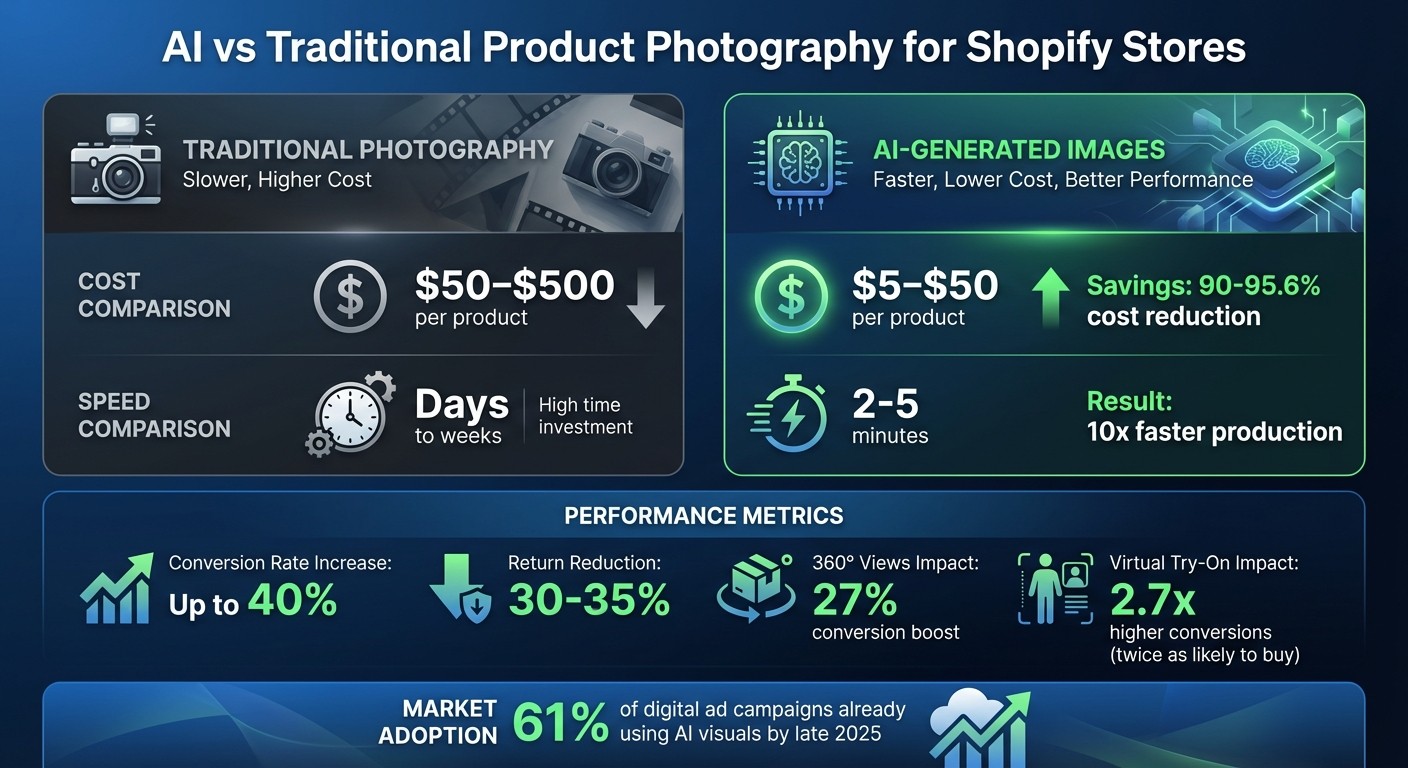
AI vs Traditional Product Photography: Cost, Speed & Performance Comparison for Shopify Stores
Benefits of AI-Generated Product Images
AI-generated product images bring three standout advantages for Shopify stores: improved visuals that captivate customers, significant savings in time and money, and the ability to offer tailored shopping experiences.
Better Visual Quality and Customer Engagement
AI tools can create studio-level visuals that align perfectly with your brand. By analyzing your product library, these tools suggest backgrounds and styles that complement your products. With just a simple text prompt, you can generate professional-quality lighting and settings. For instance, AI-driven 360° product views have been shown to boost conversion rates by up to 27%. These interactive visuals let customers explore products from every angle, closely replicating the feel of in-person shopping.
Additionally, AI makes it easy to produce lifestyle imagery. Picture placing your product in a sunny park or a sleek modern kitchen - these scenarios help customers imagine the product in their daily lives. Such visuals don’t just look good; they work. Immersive images have been shown to cut product returns by 35%. By enhancing the visual experience, AI sets the foundation for cost efficiency and personalization.
Lower Costs and Faster Production
AI-generated imagery drastically reduces production costs - by as much as 90% to 95.6% compared to traditional methods. What once required days or weeks can now be accomplished in just 2 to 5 minutes.
“The real saving is in the elimination of the logistics chain” - Allen Seavert, Founder of SetupBots
Beyond speed, AI automates tedious tasks like background removal, color correction, and resizing. This saves countless hours of manual editing. For stores managing large product catalogs, the ability to process thousands of SKUs at once is a game-changer. But the benefits don’t stop there - AI also enhances the shopping experience through personalization.
Personalized Shopping Experiences
AI takes personalization to the next level, boosting conversion rates and reducing returns. Virtual try-on technology allows customers to see how clothing, eyewear, or accessories will look on their own bodies or faces in real time. Tools like Looksy (https://withlooksy.com) make this process seamless - customers simply upload a photo for an instant virtual try-on, no downloads or sign-ups required. This builds confidence and encourages purchases.
The impact is clear: customers are twice as likely to buy after using AR virtual try-on or “View in 3D” features. A great example is Gunner Kennels, which introduced 3D assets for its dog crates in 2025. This helped customers visualize size and fit, leading to a 40% increase in conversion rates. Similarly, Warby Parker uses Apple’s ARKit technology to show 3D models of glasses tailored to each customer’s face geometry. This approach minimizes returns by addressing fit concerns upfront. AI also promotes inclusivity by showcasing products on a variety of skin tones and body types, ensuring a broader appeal.
AI Tools for Product Image Generation
Shopify store owners can now tap into a variety of AI tools to simplify and enhance the creation of product images. These tools cover everything from virtual try-ons and automated photoshoots to 3D modeling and bulk image editing, making it easier to create engaging visuals for your store.
Looksy Virtual Try-On
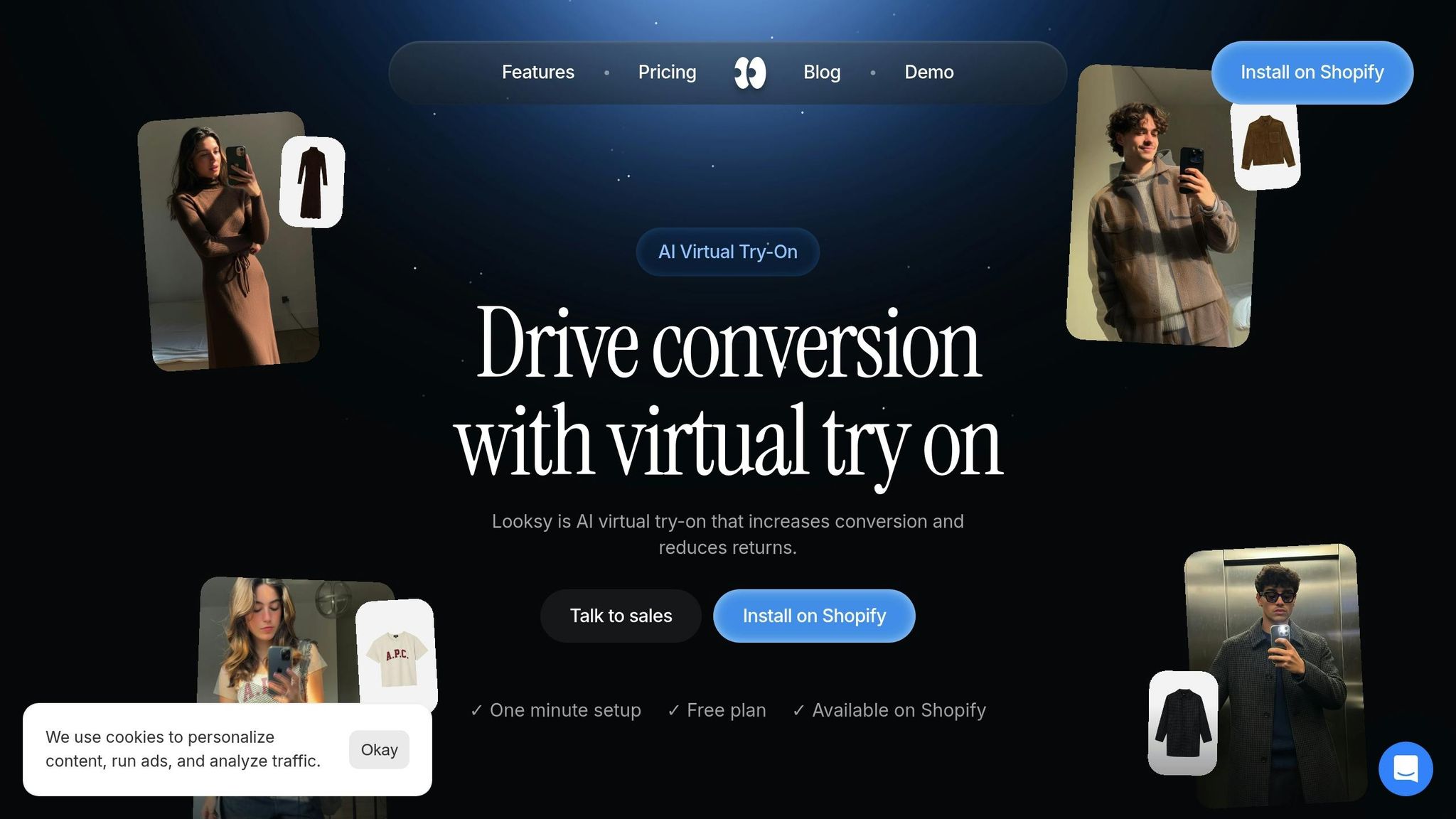
Looksy (https://withlooksy.com) allows customers to virtually try on products by uploading a photo and receiving results in about 20 seconds. The app integrates seamlessly via a one-click installation from the Shopify App Store. Unlike traditional AR tools that can slow down your site, Looksy uses asynchronous loading, ensuring your store runs smoothly.
Pricing starts with a free plan, then $14.99 per month for 100 photo try-on credits, with additional credits at $0.14 each. For high-volume stores, the Scale plan is $79 per month with 600 photo or video credits, realtime video try-on, and additional credits at $0.10. Plus, Looksy provides detailed analytics to help you identify which products benefit most from virtual try-ons, all while prioritizing customer privacy.
Claid AI Photoshoot
Claid AI eliminates the need for costly photoshoots by generating multiple product images from simple inputs. You can create lifestyle scenes and catalog variations automatically. It also offers tools for background removal, color correction, and upscaling. New users can test its features with 20 free credits, making it a great option for streamlining your image creation process.
LetsEnhance.io
LetsEnhance.io focuses on improving image quality by enhancing product photos up to 16 times their original resolution. It also includes a text-to-image feature, enabling you to generate unique product backgrounds using descriptive prompts. This tool is ideal for creating sharper, more eye-catching visuals.
Nvidia GET3D
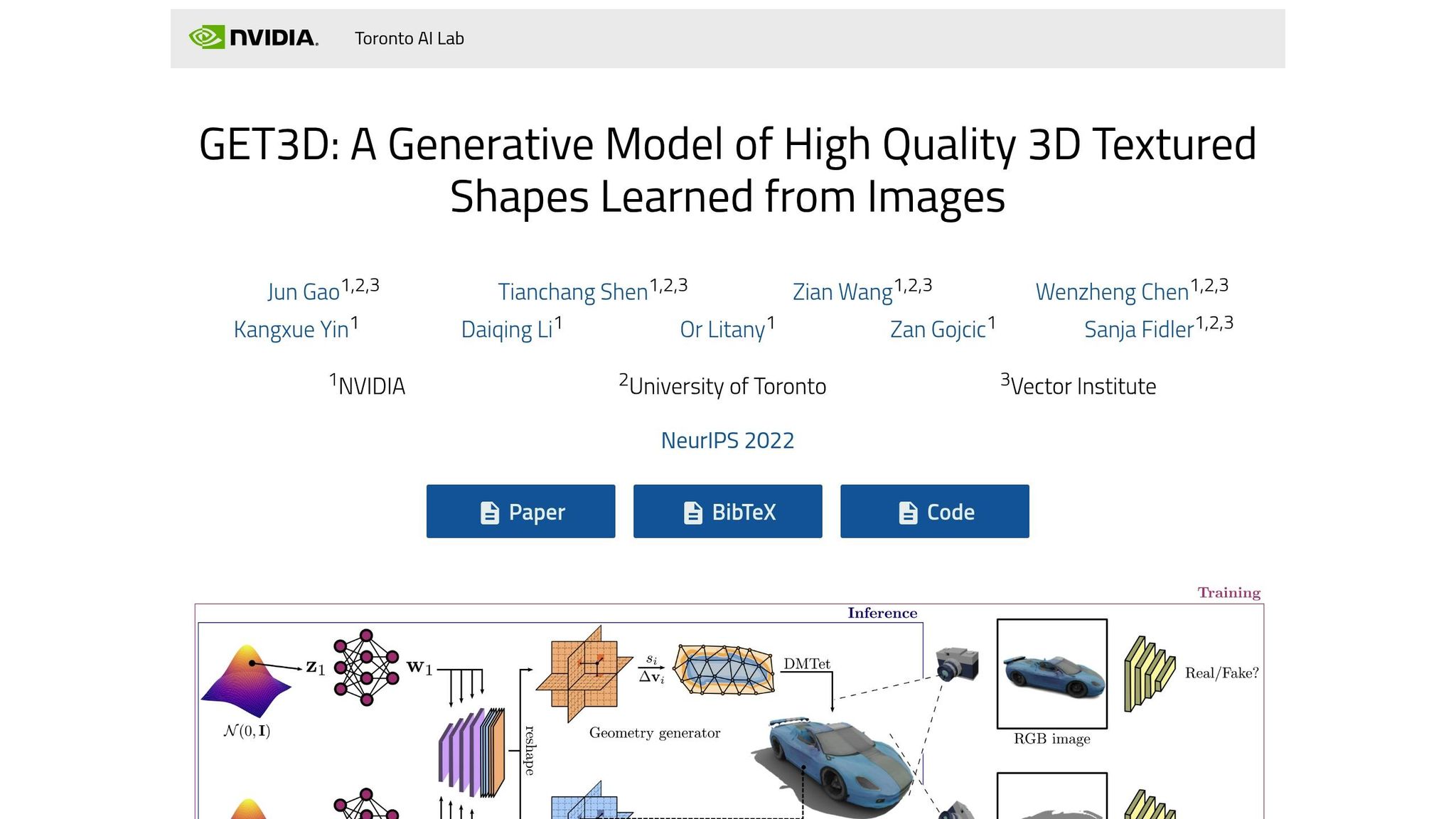
Nvidia GET3D transforms flat, 2D photos into interactive 3D models. This feature allows customers to view products from every angle, making it especially useful for items that require a detailed spatial understanding, such as furniture or intricate gadgets.
Zmo.ai
Designed specifically for fashion e-commerce, Zmo.ai automates the creation of model images. It can generate clothing visuals with customizable patterns, textures, and styles, showcasing garments on various body types without the need for multiple model photoshoots. This is particularly helpful for stores with extensive apparel inventories that demand consistent and professional imagery.
These AI-driven tools provide Shopify store owners with scalable ways to enhance their product imagery, helping to boost both visual appeal and overall store performance.
How to Set Up AI Tools on Shopify
This section provides a step-by-step guide to integrating AI-powered tools like Looksy into your Shopify store, helping you streamline product imagery while maintaining consistency and quality.
Choosing the Right AI Tool
Before diving in, consider these four factors to choose the best AI tool for your needs:
Sales Channels: Different platforms have unique requirements. For instance, Amazon demands pure-white backgrounds (RGB 255, 255, 255), while Etsy allows more creative flexibility.
Catalog Size: Small catalogs might be manageable manually, but larger inventories benefit from batch processing or API integrations.
In-House Skills: Mobile-first tools are ideal for quick edits, while more advanced tools that integrate with design software suit dedicated design teams.
Budget: Match your investment to your store’s needs and resources.
Choose tools that align with your product category. For example, fashion retailers might prioritize solutions that highlight garment details and enable virtual try-ons, while general merchandise sellers may prefer tools designed for background staging. If you sell on multiple marketplaces, look for tools with presets that meet platform-specific requirements, such as Amazon’s 1,600-pixel resolution minimum for zoom functionality.
Start with Shopify’s native options. Shopify Magic is built-in and handles basic tasks like background removal and generation at no extra cost. For advanced features like virtual try-ons, Looksy offers a seamless one-click installation from the Shopify App Store. A great example: In 2025, GoodBuy Gear used AI tools to standardize over 42,000 product images, boosting conversion rates by 23%.
Once you’ve chosen Looksy for your store, follow the installation steps below.
Installing and Configuring AI Tools
For Shopify Magic: Access your Shopify admin’s Products or Files section, select a product image, and click “Generate” or “Color background.” Enter 3–7 concise keywords (e.g., “studio, concrete, ambient”) and save the changes.
For Looksy: Install the app from the Shopify App Store with one click. It integrates with your product catalog and uses asynchronous loading to maintain site performance. Customers can upload a photo and see how products look on them in about 20 seconds - no downloads or sign-ups required. The app also provides analytics to identify which products benefit most from virtual try-ons, all while ensuring customer privacy.
To avoid common pitfalls, be specific when generating backgrounds. For example, describe how the product is positioned (“sitting on a wooden table” or “resting against a wall”) to prevent floating objects. If scaling issues arise, include dimensions in your prompt (e.g., “8oz jar candle”) to ensure accurate proportions. Always save images with transparent backgrounds as PNG files, as other formats may not retain transparency.
Customizing AI Features for Your Brand
A consistent visual identity can boost revenue by up to 20%, so start by creating a style guide that outlines your brand’s colors (with hex codes), lighting preferences, and composition rules.
Upload your brand photos into Looksy to match colors, textures, and overall composition. Structure your prompts carefully, such as: “[product position], [additional props], [style/lighting details].” For more control, use negative prompts to exclude unwanted elements, like “no hands”, “no purple”, or “no text overlays.”
In 2025, Textdrip CEO Phil Portman ran an A/B test comparing an AI-generated image tailored to a clinical workflow against a generic stock photo in a retargeting campaign. The AI image achieved a 38% higher click-through rate and a 22% higher conversion rate, thanks to detailed prompts that aligned with the audience’s expectations.
“Write prompts like you’re briefing a designer with taste. Specify mood, layout, platform, and lighting. And if your brand voice is ironic or deadpan - say it.”
– Edward White, Head of Growth, Beehiiv
For large inventories, batch editing can ensure consistency across all images. AI tools can automate tasks like color correction, cropping, and upscaling. Features like built-in brand kits or style memory help maintain uniform lighting, colors, and composition across your product range. Use outpainting to adjust image framing for different platforms - 9:16 for TikTok, 16:9 for blog headers, or 4:5 for Instagram. With around 45% of U.S. web traffic coming from smartphones, compress and resize images for mobile without sacrificing quality.
Best Practices for AI Image Creation
Building on setup and tool integration, follow these guidelines to ensure your AI-generated images are consistent, visually appealing, and optimized for fast loading.
Writing Effective Prompts
Creating a strong prompt is key to getting the results you want. A simple formula works best: [Subject] in/on [Scenario/Location], [Descriptors/Camera Lens]. Keep prompts short - 10 to 15 words - to avoid unpredictable results.
Use general terms like “chair”, “bottle”, or “small appliance” instead of brand names, as AI models often don’t recognize proprietary brands. You can also specify camera lenses to fine-tune perspective: 24mm for wide shots, 85mm for flattering portraits, and 100mm macro for detailed close-ups. Adding action verbs like “glowing” or “reflecting” can make the image feel more dynamic.
Lighting descriptions are another essential detail. Phrases like “soft studio lighting”, “volumetric lighting”, “godray”, or “natural diffused light” help the AI create professional-quality images. If you’re aiming for a specific vibe, reference art styles or photography genres like “Minimalist” or “Abstract Expressionism”.
To refine results further, include negative prompts to tell the AI what to avoid, such as “no text”, “no extra limbs”, or “no blurry edges”. For advanced tools like Midjourney, you can even assign numerical importance to elements using double colons (::), e.g., “balloons::2”.
“We stick to simple, repeatable formats. Name the product, the material, the angle, and always call for a plain white background.” – Weston Blocker, CEO of NearTrade
Skip formalities like “Please” in your prompts. Instead, use direct, complete sentences for better results.
Maintaining Consistency Across Images
Consistency in lighting, angles, and backgrounds is crucial for creating a professional and cohesive look that builds trust with customers. Tools like Style Locking allow you to upload 3–5 reference images to extract parameters like lighting, shadows, and color grading.
Brand Kits are another useful feature, enabling you to save specific hex codes, lighting setups, and composition rules that can be applied automatically to new images. For catalogs with many items, asset preservation tools help maintain details like logos, textures, and text across all images.
Start with a high-resolution “source of truth” image, such as a flat lay or ghost mannequin, to give the AI accurate textures and geometry to work from. Use a standardized prompt structure for consistency: [Subject] + [Material] + [Angle] + [Lighting] + [Background]. For example: “Matte black ceramic mug, side angle, soft studio lighting, pure white background”.
To avoid the “floating object” effect, specify how the product is positioned, like “resting on a marble table” or “standing on a concrete floor”. When creating color variations, use digital recoloring tools with precise hex codes to ensure lighting remains consistent across all SKUs.
“In 2025, GoodBuy Gear standardized over 42,000 product images using AI tools, achieving a 23% increase in conversion rates by maintaining consistent backgrounds and lighting across their entire catalog”.
Optimizing Images for Fast Loading
Once your images are visually consistent, the next step is optimizing them for fast loading. Images often make up 50–70% of a Shopify store’s total page weight. Even a one-second delay can lead to a 7% drop in conversions, and 53% of mobile users will abandon a site if it takes longer than three seconds to load.
Stick to 2048×2048 pixel dimensions and switch from JPEG to WebP or AVIF formats. WebP files are about 30% smaller than JPEGs, while AVIF can shrink file sizes by another 30% compared to WebP. Aim for a file size of 100–200 KB per image. Use lossy compression at 75–85% quality to balance speed and visual quality. AI-generated backgrounds often compress more efficiently due to their simplicity, which helps improve load times.
For faster page performance, apply the loading="lazy" attribute to images below the fold, ensuring that only visible content loads immediately. The srcset attribute can also help by serving smaller image files to mobile users instead of full-sized desktop versions. With 70% of Shopify traffic now coming from mobile devices, these optimizations are essential.
Rename AI-generated files with descriptive, hyphenated names like mens-slim-fit-charcoal-wool-blazer.jpg instead of generic strings like IMG_123.jpg. For alt text, use the formula: “[Brand] [Product Name] [Key Feature] [Color/Material]” to improve both SEO and accessibility.
Tracking Performance and Results
Once you’ve adopted AI-generated imagery, the next step is to ensure it’s making a difference. Tracking performance helps you understand whether your AI imagery strategy is moving the needle on store metrics.
Key Metrics to Track
Start with conversion rates. Compare them before and after you switch on AI-powered virtual try-on. Another critical metric is click-to-purchase time - aim for under 15 seconds. If it takes longer, it might signal hesitation or friction in the customer journey. Keep an eye on bounce rates as well, especially in relation to loading speeds.
“Shoppers who try an item on are telling you they are serious about it - watch what they do next.” – Looksy
Engagement metrics like viewing time are also essential. Products with interactive features often enjoy a 27% bump in conversions and a 50% increase in viewing time. For a deeper dive, advanced analytics tools can uncover patterns in customer behavior.
Using Analytics Tools
Platforms like Looksy offer built-in analytics to help you monitor how customers interact with AI features. For $29/month on the Growth plan, you get 300 photo try-on credits and can track try-on usage, conversion paths, and behavioral trends. Use these dashboards to identify your best-performing products and areas that might need adjustments.
A/B testing is another powerful way to refine your imagery strategy. Compare AI-generated images against traditional photos, tweaking one variable at a time - like backgrounds or lifestyle settings. For instance, lifestyle images often outperform plain white backgrounds by creating a stronger emotional connection. Pair these tests with tools like Shopify Analytics or Google Analytics to see if AI features are speeding up decision-making and improving click-to-purchase times.
Conclusion
AI-generated imagery has become an essential tool for Shopify stores. While traditional photography often comes with hefty costs, AI tools can reduce expenses by 70% to 80% and slash turnaround times by more than 75%. This level of efficiency allows businesses to launch products faster, maintain consistent branding across large catalogs, and focus more on strategic growth rather than logistical challenges.
“We know not everyone has access to studios or mannequins, so we want to lower the barriers to entry for entrepreneurs to present their products in the best light.” – Glen Coates, VP of Product, Shopify
Tools like Looksy go a step further by tackling one of the biggest hurdles in online shopping: earning customer trust. By enabling customers to see products on their own bodies in just 20 seconds, these tools remove a major source of hesitation before checkout. This not only builds trust but also speeds up purchasing decisions, fundamentally reshaping the shopping experience. For Shopify stores, adopting such tools is no longer optional - it’s critical for staying competitive.
With 61% of digital ad campaigns already leveraging AI-generated visuals by late 2025, forward-thinking brands are moving quickly to test and refine these technologies. As consumer expectations around AI transparency grow, the race is on for businesses to integrate these tools and drive faster growth.
FAQs
Which products should I use AI imagery for first?
When it comes to products where visual appeal plays a major role in winning over customers, think of categories like apparel, accessories, and lifestyle items. These are the kinds of products where high-quality images can make or break a sale. Why? Because shoppers want to see details up close - like fabric texture, stitching, or how an accessory looks when worn. They also want to picture the item in a real-world context, which helps them feel more confident about hitting “Buy Now.”
How can I keep AI images consistent with my brand?
To make sure AI-generated images match your brand’s identity, start by defining a clear visual style. This includes setting consistent colors, lighting, and an overall aesthetic that represents your brand. Many AI tools allow for customization - take advantage of features like color specification or the ability to upload reference images for guidance.
Additionally, develop a style guide specifically for product imagery. This guide should outline key details like your color palette, preferred lighting setups, and background choices. By using this guide to craft your AI prompts, you can ensure that every image aligns with your brand’s identity and delivers a polished, cohesive look.
How can I measure if AI imagery improves sales?
To determine whether AI-generated imagery impacts sales, focus on tracking essential metrics like conversion rates, bounce rates, and cart abandonment rates both before and after introducing the AI visuals. Pay close attention to return rates, particularly for products where appearance plays a key role, as this can reveal how well the imagery aligns with customer expectations. Collecting customer feedback can also provide valuable insights into their experience.
Using tools like Looksy’s virtual try-on can make a difference by helping customers visualize products more accurately, which can lead to fewer returns and higher conversion rates. Additionally, conducting A/B tests with various imagery styles can help you pinpoint what works best for your audience, giving you a clearer understanding of their preferences.