Ecommerce
Ultimate Guide to CTR Optimization with AI
AI virtual try-on boosts Shopify CTR and conversions, reduces size-related returns, and offers fast, privacy-first setup with analytics and A/B testing tips.
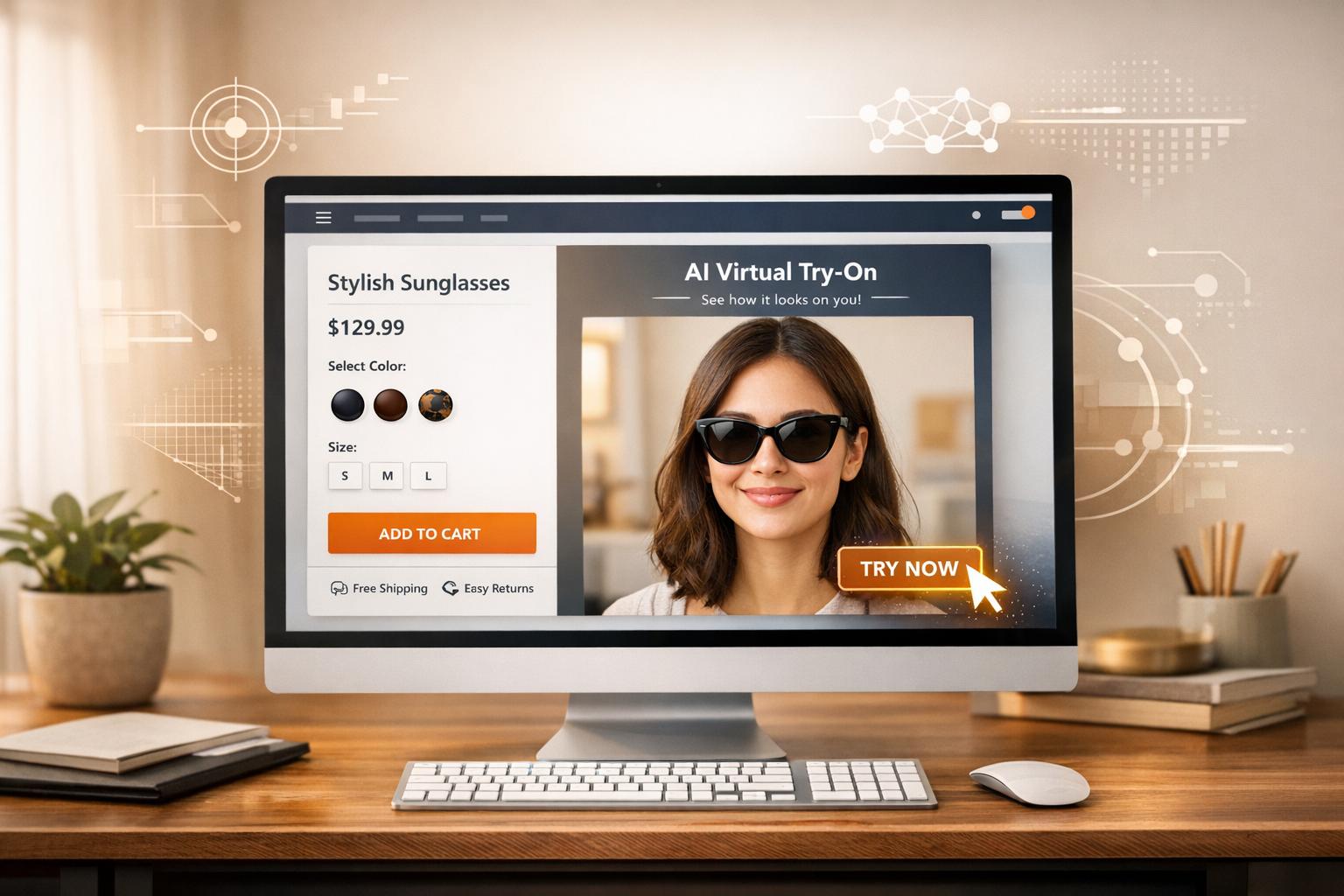
Boosting your Shopify store’s click-through rate (CTR) is simpler than you think. Here’s the key takeaway: integrating AI-powered tools like virtual try-on features can significantly improve shopper engagement and conversions.
Why CTR Matters:
CTR measures how well your content grabs attention.
A higher CTR improves ad placements and reduces costs on platforms like Google.
Benchmarks:
Google Search Ads: 2.69% average, 20%+ for branded keywords.
Facebook/Instagram Ads: 0.90%–1.27%.
Email Marketing: 1.74%–2.07%.
How AI Helps:
Virtual try-on tools (e.g., Looksy) let customers see products on themselves, boosting CTR by up to 11×.
Benefits include:
Reduced checkout hesitation by 60%.
Increased buyer confidence by 40%.
Fewer size and fit questions before checkout.
Key Action Steps:
Use AI tools like Looksy to add try-on features to product pages.
Place “Try It On” buttons near the “Add to Cart” section for visibility.
Track performance using Shopify Analytics and Looksy’s built-in analytics.
Test and refine strategies with A/B testing.
By leveraging AI, you can transform static shopping experiences into interactive ones, driving more clicks, higher engagement, and stronger sales results.
Understanding CTR Metrics for Shopify eCommerce
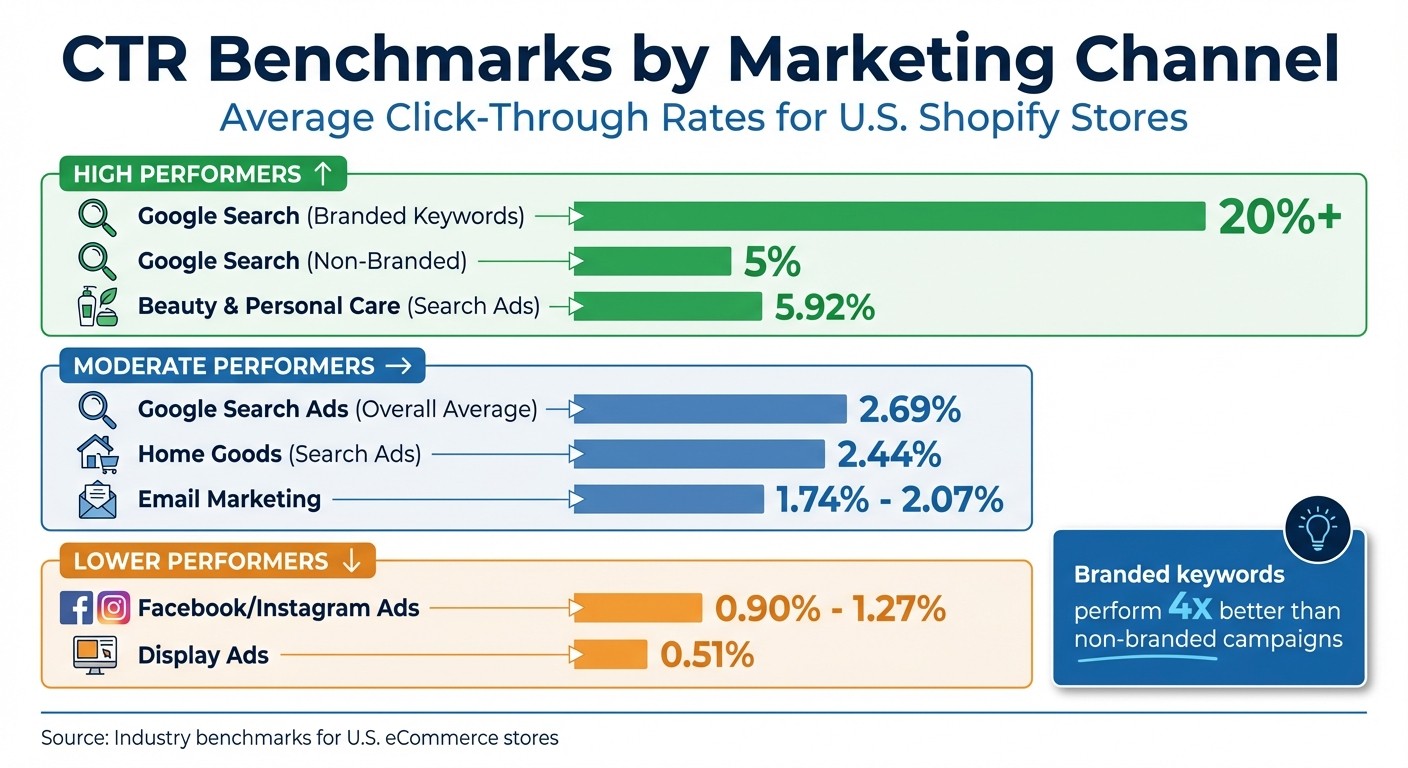
CTR Benchmarks by Marketing Channel for Shopify Stores
To make the most of your Shopify store, understanding click-through rate (CTR) metrics is essential. These insights help you fine-tune your strategies and boost engagement.
CTR Benchmarks for U.S. Shopify Stores
Setting achievable CTR goals starts with knowing the benchmarks. For Google Search ads, the average CTR in eCommerce is approximately 2.69%. However, this figure changes depending on the type of campaign. Branded keywords - those that include your store’s name - usually achieve a CTR of 20% or more. On the other hand, non-branded campaigns aim for around 5%.
CTR also varies by product category. For example, beauty and personal care stores average a CTR of 5.92% on search ads, while home goods typically see a lower CTR of 2.44%. If you’re running ads on Facebook or Instagram, expect a CTR between 0.90% and 1.27%. While this is lower than search ads, these platforms are still valuable for building brand awareness. For email marketing, CTRs generally fall between 1.74% and 2.07%.
Here’s a quick breakdown of average CTRs by marketing channel:
Marketing Channel | Average CTR Benchmark |
|---|---|
Google Search (Branded) | 20%+ |
Google Search (Non-Branded) | 5% |
Facebook/Instagram Ads | 0.90%–1.27% |
Email Marketing | 1.74%–2.07% |
Display Ads | 0.51% |
Once you’ve set your benchmarks, Shopify Analytics can help track and analyze these metrics.
Using Shopify Analytics to Track CTR
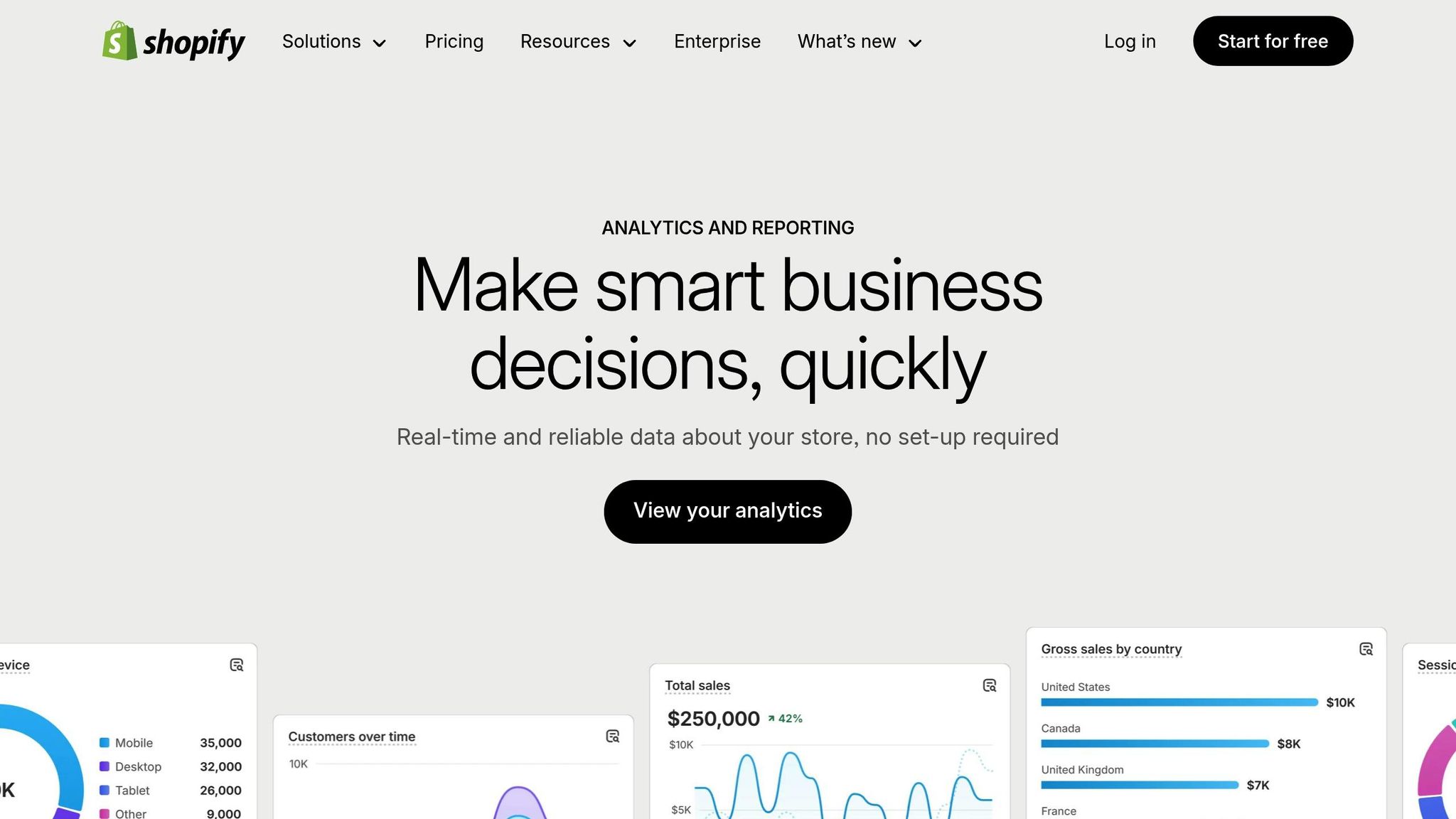
Shopify Analytics provides detailed insights into how visitors interact with your store. For instance, the Behavior reports show how users navigate between pages, helping you identify which product pages are driving clicks. The Top Online Store Searches report highlights the search terms customers use, giving you the chance to refine product titles and descriptions to improve internal search CTR.
Another useful tool is the Sessions by Device report, which breaks down traffic by mobile and desktop. With more than 60% of eCommerce traffic coming from mobile devices, it’s crucial to monitor and optimize your mobile CTR. Additionally, UTM-tagged links allow you to track which ads, emails, or social posts are generating the most clicks.
By analyzing this data, you can better understand how CTR contributes to your overall performance metrics.
How CTR Connects to Other Metrics
CTR is just the beginning - it sets the stage for the rest of your sales funnel. Clicks lead to actions like adding items to the cart, checking out, and making purchases. For example, if your CTR leads to conversion rates of 2%–5%, it’s a good sign that your messaging aligns with shopper expectations. However, a high CTR paired with low conversions often indicates a disconnect, such as ads that overpromise or landing pages that underdeliver.
Beyond conversions, a higher CTR often correlates with increased engagement. For instance, visitors who click through typically spend more time on your site (an average of 54 seconds) and view more pages per session (around 4.4 to 4.9 pages). This engagement not only boosts your store’s performance but also signals to search engines that your content is relevant and useful.
As Nik Sharma, CEO of Sharma Brands, puts it: “CTR tells you how much people on the platform like what you’re putting out. And once they get to your site, Add to Cart and purchase metrics show whether the page matches what they expected.”
AI-Powered Virtual Try-On for CTR Optimization
AI is reshaping how businesses optimize click-through rates (CTR), and virtual try-on technology is a game-changer for online shopping. Instead of simply browsing static product images, customers can upload a photo and see how items look on them. This interactive experience encourages shoppers to engage more with product pages, leading to higher CTR. Let’s dive into the numbers behind this transformation.
How Virtual Try-On Increases Shopper Engagement
Studies reveal that AI-driven virtual try-on tools can boost product click-through rates by 7.69%, with some implementations reporting up to 11 times higher interaction or a staggering 200% increase in engagement. By removing uncertainties about fit, color, and style, these tools address one of the biggest hurdles in online shopping.
When shoppers see how a product looks on their own body, they’re more likely to explore further. They’re clicking through different colors, trying various styles, and feeling more confident about hitting “Add to Cart.” Research shows that 71% of shoppers prefer interactive experiences with try-on features, and these tools can reduce checkout hesitation by 60% while boosting buyer confidence by 40%.
The impact on cart behavior is impressive. Retailers offering virtual try-on see add-to-cart rates soar by as much as 600% to 1,000%, with conversion rates improving by 40–50% compared to traditional product pages. Mason Brown, a Shopify seller, shared that using an AI-powered virtual try-on tool doubled his store’s CTR.
Key Features of Looksy‘s AI Virtual Try-On
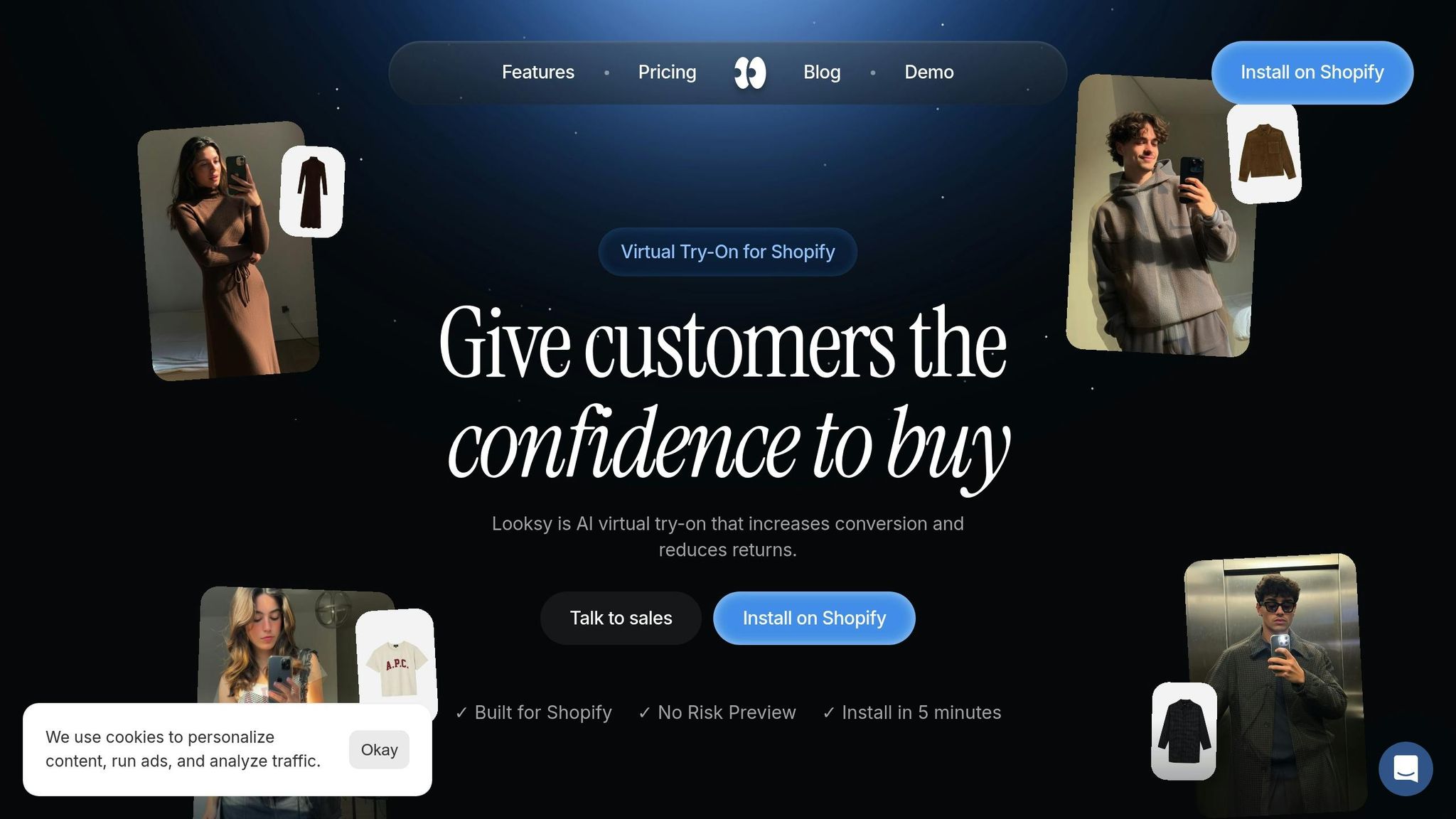
Looksy builds on these engagement metrics with a fast and easy-to-use platform. It processes photos in just 3 seconds and integrates with Shopify in under five minutes. Shoppers don’t need to download an app or sign up - everything works directly in their browser. Plus, photos are processed securely via API and never stored on servers, addressing privacy concerns that might deter users.
The tool uses non-blocking JavaScript, meaning it activates only when customers click, ensuring product pages load at full speed. This design protects existing CTR performance while seamlessly blending into your store’s theme, making the try-on button feel like a natural part of your brand.
Looksy also provides detailed analytics to track how the tool impacts CTR. Merchants can see how many visitors engage with the try-on feature (typically 2–5% of traffic), how long they interact, and how their conversion rates compare to non-users. Merchants can compare try-on users against everyone else to see whether the feature is moving their own conversion rate.
“Looksy is the only one our customers actually use.”
A Beta Merchant
These features make Looksy a powerful tool for driving measurable improvements in engagement and sales.
Case Study: Looksy’s Impact on CTR
Rebecca Minkoff’s use of 3D and augmented reality (AR) product visualization sets a high standard for what virtual try-on technology can achieve. Shoppers who interacted with handbags using these features were 44% more likely to add items to their cart and 65% more likely to make a purchase compared to those who didn’t. Uri Minkoff, the brand’s cofounder and CEO, highlighted the benefits:
“3D media makes for a much more interactive shopping experience. Customers can examine our products from every angle… which helps them get a better sense of quality, size, and other details that matter.”
Uri Minkoff, Cofounder and CEO, Rebecca Minkoff
Looksy aims at the same problem, giving shoppers a clearer view of a product before they commit to a size. This is crucial, as 88% of shoppers abandon carts due to concerns about size, fit, and style. By addressing these concerns, Looksy creates a smoother sales funnel where increased engagement directly translates into higher revenue.
Implementing AI Virtual Try-On on Shopify
Best Locations for Virtual Try-On Buttons
Where you place your virtual try-on button can make or break its effectiveness. To grab shoppers’ attention immediately, make sure the button is above the fold on every product detail page. This way, customers see it right away without having to scroll, encouraging them to engage while their interest is fresh.
A good spot for the button is near essential elements like the “Add to Cart” button and product options. With Looksy, your store’s existing CSS styling is automatically applied, so the button will look like a natural part of your design.
Adding a little context near the button can also help. Phrases like “See how it looks on you” or “Try it instantly” let shoppers know exactly what to expect when they click. Some stores even include a short, 10-second demo GIF to show how the virtual try-on works, which can make the feature even more appealing.
If your store sells items prone to high return rates - like eyewear, clothing tops, or accessories - focus on adding the try-on feature to those product pages first. You can also extend the experience beyond your website by embedding try-on links in Instagram Shop posts, Pinterest Pins, or even using QR codes on physical packaging to direct customers to the tool. Once you’ve nailed the button placement, integrating Looksy with your Shopify store is a quick and painless process.
Step-by-Step Implementation on Shopify
Getting Looksy set up on your Shopify store is fast and straightforward - it takes less than five minutes. Simply head to the Shopify App Store, find Looksy, and install it with a single click. The app integrates seamlessly with your existing theme, so there’s no need for coding.
Looksy uses non-blocking JavaScript with asynchronous loading, which means the try-on feature only activates when a customer clicks the button. This ensures your site’s speed stays intact. And site speed matters - a one-second improvement in load time can boost mobile conversions by as much as 27%.
The app works with any Shopify theme and is compatible across all devices. Customers don’t need to download anything or create an account. They can simply upload a photo directly in their browser, and since photos aren’t stored on servers, Looksy takes a privacy-first approach.
Pricing starts with a free plan, then $14.99/month for the Starter plan, which includes 100 photo try-on credits (with additional credits at $0.14 each). For businesses needing more, the Growth plan is $29/month and offers 300 photo try-on credits with additional credits at $0.12. The Scale plan, priced at $79/month, includes 600 photo or video credits and realtime video try-on.
Tracking Try-On Engagement and CTR
Once your virtual try-on tool is live, it’s time to monitor its performance. Looksy’s analytics can help you track how many visitors engage with the feature. Typically, 2–5% of your traffic will interact with the tool, and comparing that group with everyone else shows whether it is shifting purchases.
Key metrics to watch include micro-conversions like clicking the try-on button, completing a session, and adding items to the cart. If you notice a lot of clicks but few completed sessions, it could signal a technical glitch or a user interface issue that needs attention.
To make the most of your data, sync try-on engagement metrics with your CRM or Customer Data Platform (CDP). This lets you identify high-intent shoppers - those who use the try-on feature are already showing strong buying signals, making them perfect candidates for targeted remarketing campaigns.
A/B testing can further refine the tool’s performance. Experiment with different button placements, colors, or text to see what resonates most. For example, test phrases like “Try it on” versus “See it on me” to determine which call-to-action drives more clicks. If users are exiting the try-on interface prematurely, dive into your session data to uncover and address any friction points. By continuously analyzing and optimizing, you can ensure your virtual try-on feature delivers the best possible results.
Measuring and Optimizing CTR with AI Insights
Key Metrics to Track for CTR Optimization
Click-through rate (CTR) measures the ratio of clicks to impressions, giving you insight into how well your visuals and messaging resonate with shoppers. For ecommerce search ads, the average CTR is around 2.69%, while branded campaigns can soar to 20% or more. Still, CTR alone doesn’t paint the full picture.
To dig deeper, track micro-conversions - like visits to product pages or “Add to Cart” clicks - to pinpoint where users drop off. For instance, if a virtual try-on button gets plenty of clicks but few sessions are completed, you’ve likely uncovered a point of friction. Similarly, keeping an eye on engagement metrics such as average time spent on the site and pages viewed per session helps you gauge how invested visitors are after that initial click.
For pages with rich media, monitor INP (Interaction to Next Paint), where a time under 200 ms is considered “good”. Why does this matter? Sites that load in one second convert 2.5× higher than those that take five seconds. Tools like Shopify Analytics also allow you to break down CTR by channel - Google versus Facebook, for example - helping you identify which platforms yield the best results.
These metrics provide the foundation for leveraging advanced analytics to fine-tune your approach.
Using Looksy Analytics to Optimize CTR
Looksy’s analytics dashboard offers a powerful way to uncover trends you might otherwise miss. By analyzing click patterns, time on site, and purchase history, Looksy’s AI tools can pinpoint problem areas in your funnel. For example, if users frequently exit after clicking a try-on button but don’t proceed to add items to their cart, the analytics will highlight this as a critical drop-off point.
Looksy’s Growth and Scale plans give you more credits to run those experiments at volume. With 89% of business leaders emphasizing the importance of personalization for future success, these tools can help you tailor experiences to shopper behavior. If certain product categories drive higher engagement, you can prioritize features like try-on tools for those items.
AI-driven personalization doesn’t just improve the experience - it can increase CTR by 202%. By analyzing shopper behavior in real time, you can tweak button placement, messaging, or product recommendations to create a more focused and effective shopping journey that drives both clicks and conversions.
Armed with these insights, you can continuously improve your strategy through targeted A/B testing.
A/B Testing with AI
Using detailed analytics as a foundation, A/B testing allows you to fine-tune every element of your strategy. This method compares two variations of a single element - like a button color, headline, or image - to determine which version performs better. While traditional A/B testing requires isolating one variable at a time, AI accelerates the process by dynamically presenting variations and quickly identifying top performers.
For example, you might test calls-to-action like “Try it on” versus “See it on me” to find out which phrase drives more clicks. For more advanced optimization, consider multi-armed bandit testing, where AI algorithms automatically allocate more traffic to higher-performing variations in real time. This approach not only shortens the testing cycle but also boosts conversions during the test itself.
To ensure meaningful results, run tests for at least two weeks and ensure you have a large enough sample size to achieve statistical significance. Treat A/B testing as an ongoing process - it’s a steady way to improve engagement and fine-tune your strategy over time.
Conclusion and Key Takeaways
Recap of AI’s Role in CTR Optimization
AI-powered virtual try-on technology is changing the game for Shopify merchants by turning static product browsing into dynamic, interactive experiences. This approach not only boosts customer engagement by an impressive 11 times but also increases buyer confidence by 40%. Even more compelling, shoppers who try an item on arrive at checkout with far fewer unanswered questions.
The true strength of this technology lies in its ability to tackle one of online shopping’s biggest hurdles: uncertainty. By allowing customers to instantly see how products look on them, virtual try-on tools enhance conversion rates across the entire shopping journey. The result? A seamless optimization loop where higher engagement fuels more clicks, conversions, and overall customer satisfaction.
But the benefits don’t stop at immediate metrics. AI virtual try-on tools also deliver long-term value through personalization. Over time, as customers engage with these tools, your store essentially becomes their personalized lookbook, encouraging repeat visits and sustained interest. The insights gathered from try-on sessions - such as product preferences and engagement patterns - can directly inform your optimization strategies, from refining page layouts to tailoring product recommendations in real time.
Next Steps for Shopify Merchants
Now is the time to take action and integrate AI-driven tools to start optimizing your click-through rates (CTR). A focused 30-day plan can help you get started quickly and effectively:
Week 1: Identify your primary goal - whether it’s increasing conversions, reducing returns, or boosting engagement - and select a high-impact product category to pilot, such as tops, eyewear, or accessories.
Week 2: Ensure size charts are standardized and upload high-quality product images.
Week 3: Implement Looksy on 3–5 high-traffic product pages and set up analytics to track performance.
Week 4: Soft launch the feature to your most engaged customers, promote it via email and SMS campaigns, and monitor initial results.
For maximum visibility, place “Try It On” buttons prominently above the fold on product pages. Additionally, embed try-on links in your email campaigns, SMS messages, and social media posts to drive traffic directly to the experience. Track try-on sessions alongside your standard CTR metrics to understand how the feature impacts your funnel. With Looksy’s Free plan, offering unlimited try-ons up to $100 of additional revenue, you can test its effectiveness before committing to a paid plan starting at $14.99/month for 100 photo try-on credits.
AI-powered tools for CTR optimization are no longer a future concept - they’re available and ready to make an impact today. Merchants who embrace these tools now will gain a lasting edge in engagement, conversion rates, and customer loyalty, setting themselves up for long-term success.
FAQs
How do AI virtual try-on tools help increase conversion rates on Shopify stores?
AI virtual try-on tools let customers visualize how products will look on them by uploading a photo. This interactive feature helps shoppers feel more confident about their choices, often leading to increased sales. In fact, many retailers adopt these tools specifically to cut down on size-related returns.
By creating an engaging and hassle-free shopping experience, these AI-driven try-ons not only enhance customer satisfaction but also cut down on returns - saving both time and money for businesses.
Where should I place the virtual try-on button on my product pages for the best results?
To increase visibility and encourage interaction, position the virtual try-on button prominently on the product page. The ideal spot? Right near the main “Add to Cart” button and above the fold. Since shoppers naturally gravitate toward the purchase button, placing the try-on feature nearby makes it an easy and logical option. Use a clear label like “Try It On” and choose a contrasting color that catches the eye without disrupting the overall design.
For a smooth experience, keep the button close to the product image so customers can instantly associate it with the item they’re viewing. Make sure it’s large enough for touchscreens and consistent in appearance across both desktop and mobile platforms. Adding a brief loading message, like “Loading your try-on…”, reassures users during the process, making the interaction feel seamless. Including a quick note about photo privacy can also help build trust and encourage more users to try the feature.
How can Looksy’s analytics improve click-through rates on my Shopify store?
Looksy’s analytics give Shopify merchants a clear window into how the virtual try-on feature influences shopper behavior. It tracks key metrics like conversion rate growth, fewer size-related returns, and the average time from click to purchase, helping store owners pinpoint what truly engages their customers and refine their strategies accordingly.
The tool also offers insights into which product pages, images, or call-to-action (CTA) buttons drive the most interactions. This allows merchants to fine-tune layouts, improve copy, and adjust button placement to increase click-through rates. With real-time data linked to specific actions - like virtual try-on completions and purchases - store owners can quickly experiment with elements such as CTA wording or button colors and see immediate results. Plus, this privacy-focused tool ensures a seamless experience for users, making it easier to tackle any obstacles and keep customers engaged.