Ecommerce
AI Virtual Try-On vs AR Try-On for Shopify Fashion Stores: Which Fits the Mobile Buying Journey?
Compare AI virtual try-on and AR try-on for Shopify fashion stores across mobile UX, category fit, implementation, privacy, performance, and measurement.
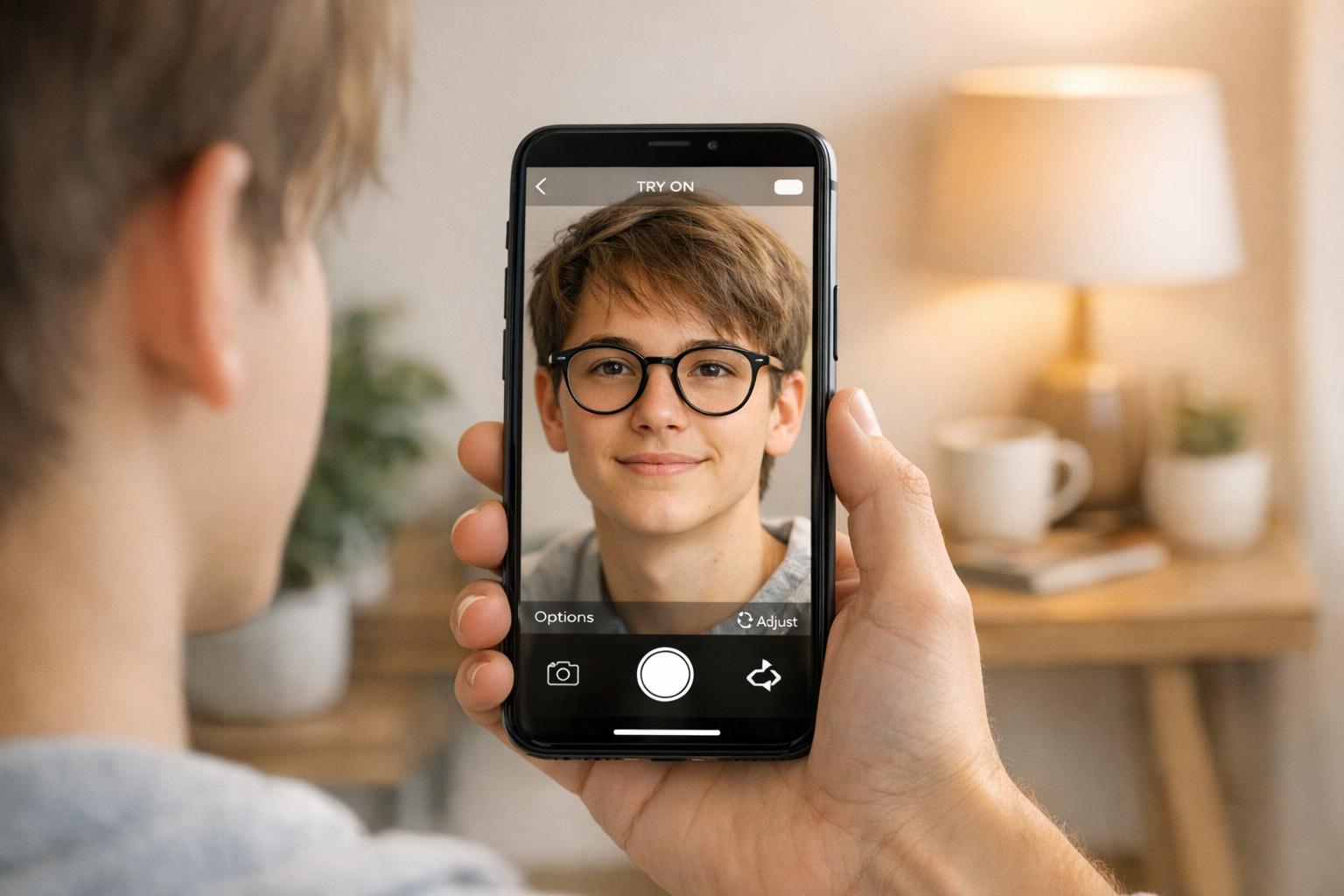
A shopper lands on your product page from Instagram. They like the garment, but they are unsure how it will look on them. The product photos are polished, the size guide is available, and the reviews are positive. Still, there is a gap between seeing the product and imagining themselves wearing it.
Virtual try-on tools aim to close that gap. The complication is that “virtual try-on” now describes several different experiences. Some tools use augmented reality to place an item over a live camera view. Others use generative AI to create a new image of the shopper wearing a selected garment.
Those approaches are not interchangeable. They ask different things of the shopper, suit different product categories, and create different requirements for mobile performance, privacy, creative assets, and implementation.
For Shopify fashion merchants, the useful question is not which technology sounds more advanced. It is which experience fits the buying decision your customer is trying to make.
The short answer
Choose AR try-on when position, scale, movement, or a live camera view is central to the product decision. Eyewear, cosmetics, jewellery, and some accessories are natural examples.
Choose generative AI virtual try-on when the shopper needs help picturing an entire garment or outfit on a person. Dresses, tops, jackets, trousers, and coordinated looks are stronger candidates because the visual question is broader than where an item sits on the screen.
Some stores may eventually use both. However, starting with the technology is usually the wrong order. Start with the customer’s uncertainty, then select the experience that resolves it with the least mobile friction.
AI virtual try-on and AR try-on are different experiences
What AR try-on does
Augmented reality generally adds a digital representation of a product to a live or captured camera view. The experience tracks part of the shopper’s face, body, or surroundings and positions the product accordingly.
AR is especially useful when the value comes from seeing placement in real time. A shopper can compare the apparent width of different glasses, preview a lipstick colour, or see how an accessory sits while moving their phone.
The quality of an AR experience depends on tracking, product assets, camera conditions, device capability, and how accurately the digital object represents the real product. CrawlApps’ guide to AR vs VR for Shopify provides a broader overview of where augmented experiences fit in ecommerce.
What generative AI virtual try-on does
Generative AI virtual try-on typically combines a shopper image with a reference image of a garment to produce a new visual result. Rather than placing a simple overlay on a camera feed, it synthesises an image intended to help the shopper imagine the complete look.
This makes it better suited to garments where drape, styling, coverage, and the overall silhouette matter. The result can provide more emotional context than a standard product photo because the shopper sees something closer to “me in this outfit” rather than “this product positioned over a camera image.”
It should still be presented as a visualisation, not a promise of exact fit. The generated image cannot replace accurate measurements, fabric details, model sizing, or a clear returns policy.
Compare the two across the mobile buying journey
1. Product category fit
Category fit is the first filter because the strongest try-on experience mirrors the actual decision being made.
AR is often a good fit for eyewear, cosmetics, jewellery, watches, hats, and accessories where placement or colour is the main question.
Generative AI is often a better fit for dresses, tops, outerwear, trousers, occasionwear, and outfit combinations where the shopper wants to visualise the full look.
Footwear can fall into either category depending on whether the goal is live placement, styling inspiration, or a broader outfit visualisation.
Products with highly reflective, transparent, flowing, or technically complex materials may require extra testing whichever approach you choose.
Do not assume one experience should cover the entire catalogue. A focused launch on the categories with the clearest visual uncertainty is easier to evaluate and improve.
2. Mobile interaction and friction
On mobile, every added step matters. The shopper may need to grant camera or photo access, position themselves, choose an image, wait for processing, and then interpret the result. A technically impressive feature can still underperform if the journey feels like work.
AR can offer immediate feedback once the camera and tracking are active. Its weakness is that camera permissions, lighting, positioning instructions, or device limitations can interrupt the flow.
Generative AI may require a photo selection or upload and a short processing period. Its advantage is that the shopper does not necessarily need to hold a perfect live pose throughout the experience. Clear progress states and useful photo guidance become important.
The try-on entry point should appear close to the product imagery and purchase controls, use plain language, and explain what will happen before asking for access. This follows the wider principle in CrawlApps’ mobile optimisation guide: reduce avoidable friction around the moments that influence a buying decision.
3. Implementation and catalogue readiness
AR implementations may require specialised 2D or 3D assets, product mapping, tracking rules, and category-specific configuration. The burden varies considerably by product type and provider.
Generative AI tools often work from existing product imagery, but image quality still matters. Consistent garment photos, clear product boundaries, accurate colour representation, and uncluttered source images can improve the experience.
Before installing either type of tool, ask:
Which products are supported well today?
What asset format and image quality are required?
How are product variants mapped?
Does the experience work inside common Shopify themes, mobile browsers, and app-builder webviews?
What happens when generation or tracking fails?
Can the feature be enabled for a small collection before a wider rollout?
Who handles theme conflicts and ongoing compatibility?
A narrow pilot will reveal more than a broad technical checklist. Test real products, devices, themes, and customer journeys before making the feature prominent across the store.
4. Privacy and shopper trust
Both approaches may involve camera or photo data, so privacy cannot be buried in a generic policy page. Shoppers should understand what information is used, why it is needed, how long it is retained, and whether it is shared with a service provider.
The exact answers depend on the tool and configuration. Merchants should review the provider’s data handling terms, deletion process, access controls, storage locations, and subprocessors rather than assuming every virtual try-on product works the same way.
In the interface, explain the request at the moment it appears. “Use your photo to create a try-on preview” is more useful than a permission prompt with no context. If the feature can work without saving the image, say so only when that has been verified.
5. Performance and reliability
Mobile shoppers may be using older devices, unstable connections, or in-app browsers. Test beyond the latest iPhone on fast Wi-Fi.
AR experiences should be checked for camera startup time, tracking stability, battery use, visual accuracy, and graceful fallback when a device is unsupported.
Generative AI experiences should be checked for upload time, processing feedback, result consistency, failure recovery, and whether the shopper can continue browsing while waiting.
The product page should remain useful if try-on is unavailable. Core images, size information, variant selection, and the purchase flow must not depend on the enhancement loading successfully.
A practical decision framework
Question 1: What is the shopper unsure about?
Write the uncertainty in the shopper’s own language. “Will these frames suit my face?” points toward AR. “Can I picture myself in this dress?” points toward generative AI. “Will this size fit my measurements?” may require a sizing tool rather than either visual technology.
Question 2: What action should the experience improve?
Decide whether the goal is to increase confident product exploration, encourage variant comparison, support add-to-cart decisions, or reduce repeated support questions. A vague goal such as “make the store more innovative” is difficult to measure and easy to overvalue.
Question 3: What is the smallest useful pilot?
Select one category, a manageable product set, and a clear mobile audience. A pilot makes it possible to examine behaviour and qualitative feedback without introducing catalogue-wide complexity.
Looksy is one example of a Shopify-native generative AI virtual try-on approach that merchants can evaluate for apparel-focused journeys. As with any provider, assess it against your own products, theme, data requirements, and customer expectations.
Question 4: Can the experience set honest expectations?
Virtual try-on should help shoppers visualise a product, not imply certainty it cannot provide. Keep size charts, fabric information, model measurements, product photography, and support routes available alongside it.
How to measure a virtual try-on pilot
Avoid judging the pilot only by how many shoppers open it. Interaction shows curiosity, not necessarily commercial value.
Establish a baseline before launch, define who is exposed to the feature, and compare comparable product and traffic groups where possible. Useful measures include:
Try-on entry rate: the share of eligible product-page visitors who start the experience.
Completion rate: the share of starters who receive or reach a usable result.
Failure and abandonment rate: where shoppers leave, encounter an error, or deny access.
Product engagement: variant changes, gallery interactions, product saves, and return visits after try-on.
Commerce behaviour: add-to-cart and checkout progression among eligible shoppers, interpreted carefully rather than treated as automatic causation.
Mobile performance: product-page responsiveness, time until the feature is usable, and any effect on the core shopping flow.
Support signals: questions, complaints, confusion, and qualitative feedback connected to the feature.
Post-purchase outcomes: cancellations, exchanges, and returns where the data can be responsibly attributed and compared over a meaningful period.
Segment the results by product category, device type, traffic source, and new versus returning shoppers. A positive aggregate result can conceal a poor experience on a valuable category or common device.
Do not promise that virtual try-on will reduce returns or lift conversion by a fixed amount. The outcome depends on product suitability, implementation quality, traffic, customer expectations, and how the feature fits the rest of the product page.
Pre-launch checklist for Shopify merchants
Define the exact shopper uncertainty the tool should address.
Choose AR, generative AI, or neither based on that problem.
Start with one suitable category rather than the whole catalogue.
Verify product-image or 3D-asset requirements.
Test the experience on real mobile devices and in-app browsers.
Review camera, photo, storage, retention, and deletion practices.
Explain permissions and processing in plain language.
Preserve the normal product page when try-on is unavailable.
Set baseline metrics before enabling the feature.
Collect qualitative feedback alongside behavioural data.
Treat the result as visual guidance, not guaranteed fit.
Decide in advance what evidence would justify expanding, revising, or stopping the pilot.
Frequently asked questions
Is AI virtual try-on the same as augmented reality?
No. AR generally places or tracks a digital product within a live camera view. Generative AI virtual try-on creates a new visual result using shopper and product imagery. Both can support visualisation, but the interaction and output are different.
Which is better for Shopify clothing stores?
Generative AI is often the more natural starting point for full garments and outfit visualisation. AR may be more suitable for accessories or categories where live placement is central. The correct choice depends on the product and customer question.
Does virtual try-on replace a size guide?
No. A visual preview does not provide exact measurements or guarantee fit. Keep sizing information, garment dimensions, fabric details, and model references accessible.
Will virtual try-on slow down a Shopify store?
It can affect the experience if it adds heavy assets, blocking scripts, slow camera startup, or unclear processing states. Test page performance and interaction on representative mobile devices, and ensure the core buying journey still works if the feature fails.
Should every product support virtual try-on?
Not necessarily. Prioritise categories where visual uncertainty is meaningful and the technology produces useful results. Excluding unsuitable products can create a more trustworthy experience than forcing universal coverage.
How long should a pilot run?
There is no universal duration. Run it long enough to gather a meaningful volume of eligible sessions across normal traffic conditions and to observe delayed outcomes relevant to your goal. Avoid making a decision from launch-day curiosity alone.
Choose the buying problem before the technology
AR and generative AI virtual try-on can both make mobile fashion shopping more visual, but they solve different problems. AR is strongest when live placement and movement matter. Generative AI is strongest when the shopper wants to picture a garment or complete look on a person.
The best implementation is not the one with the most impressive demo. It is the one that addresses a real hesitation, earns permission clearly, works reliably on mobile, and can be evaluated against a defined customer action.
Begin with one category and one measurable question. If the experience helps shoppers move from “I like it” to “I can picture this for me” without weakening the rest of the journey, you have a reason to expand.