Ecommerce
How Virtual Try-On Technology Works for E-commerce
How AR and AI power virtual try-on for e-commerce, covering feature mapping, real-time overlays, privacy, and benefits like fewer returns and higher conversions.
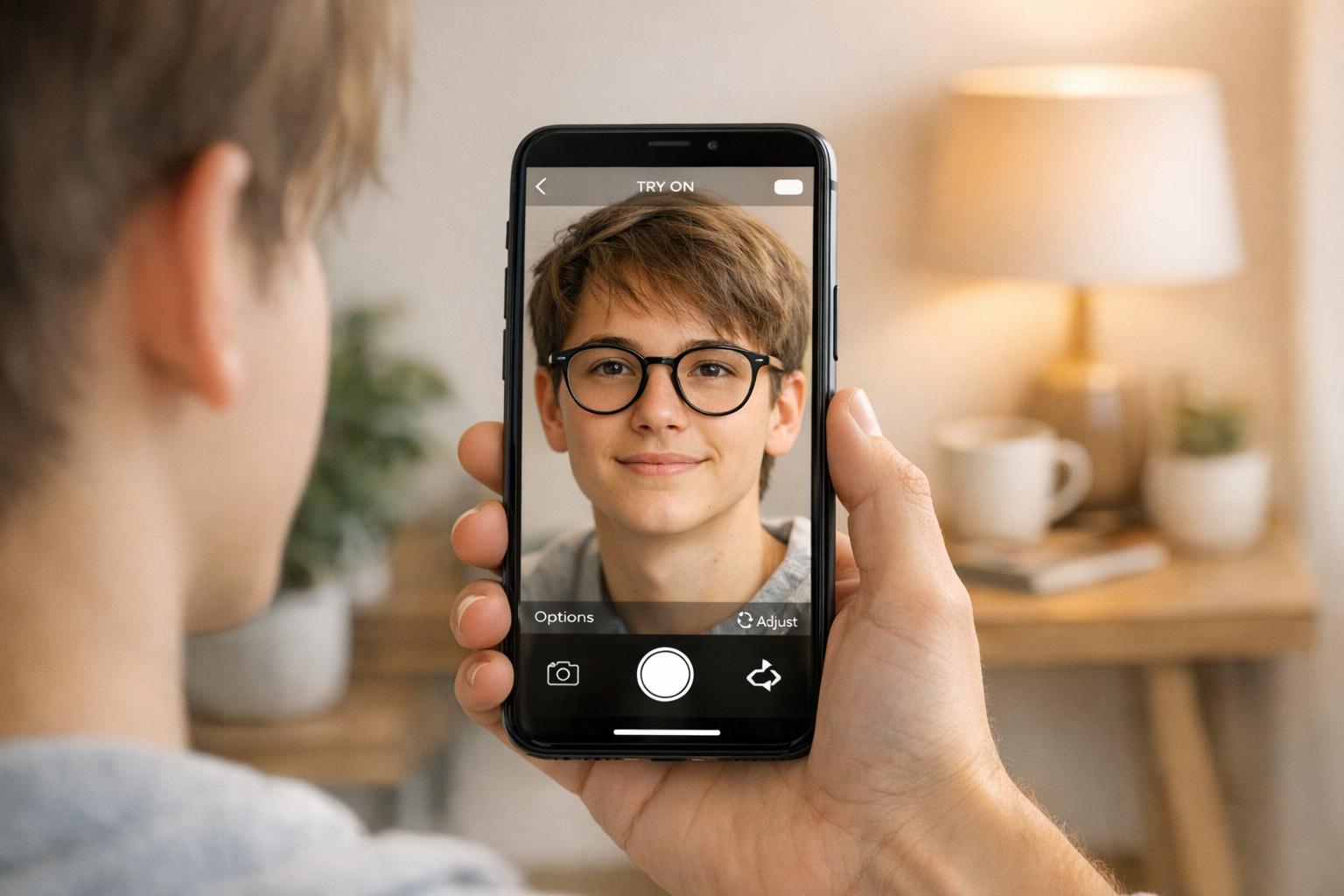
Virtual Try-On (VTO) is transforming online shopping by letting you see how products like glasses, clothing, or makeup look on you before buying. Using Augmented Reality (AR) and Artificial Intelligence (AI), it overlays digital versions of products onto your photo or live camera feed. This reduces uncertainty about fit and style, which are major reasons for online returns.
Key Benefits:
Boosts Sales: Shoppers using AR are 65% more likely to buy.
Cuts Returns: Reduces return rates by up to 64%.
Improves Engagement: Increases cart additions by 44%.
Personalized Experience: Offers accurate sizing and style recommendations.
How It Works:
User Input: Upload a photo or enable your camera.
Computer Vision: Maps facial/body features for precise alignment.
AI Modeling: Predicts fit and generates realistic visuals.
Real-Time Interaction: Try products in different colors, styles, or angles.
Retailers like Warby Parker and tools like Looksy for Shopify make this tech accessible, ensuring privacy and fast performance. By combining AR, AI, and 3D modeling, VTO solves the biggest challenges in e-commerce: fit, style, and customer confidence.
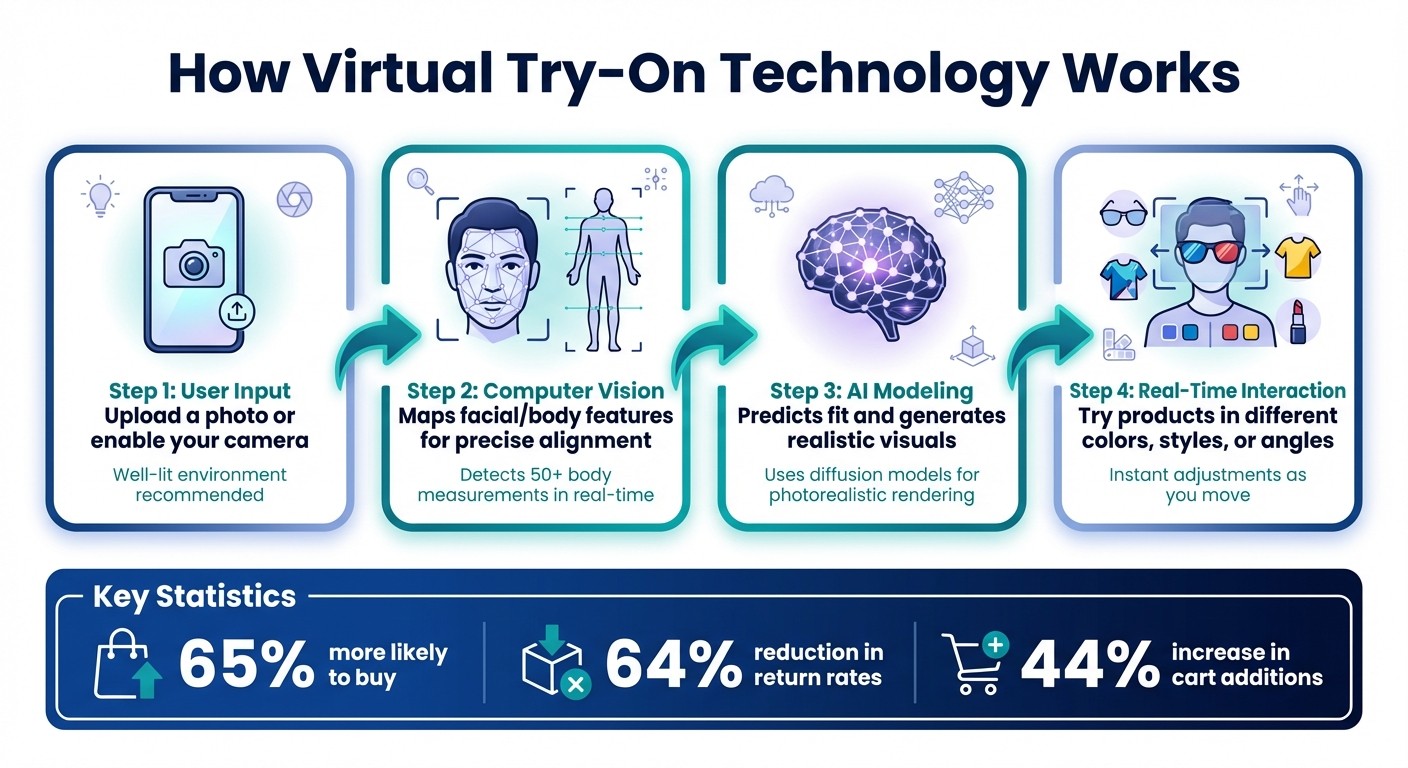
How Virtual Try-On Technology Works: 4-Step Process from Camera to Purchase
The Core Technologies Behind Virtual Try-On Tools
Augmented Reality Overlays
Augmented Reality (AR) brings virtual try-ons to life by layering digital products onto your live camera feed or a photo. By using your device’s camera and motion sensors, AR tracks your movements in real time, adjusting the lighting and depth so the digital item appears like it’s part of your environment.
To create this seamless integration, AR relies on Physically Based Rendering (PBR) techniques. These simulate how light interacts with different materials, whether it’s the shine of leather, the softness of fabric, or the gleam of metal. The result? A digital preview that adapts to shadows, brightness, and angles, making it feel like the item is truly there.
This realistic visualization sets the stage for accurate feature mapping, a critical component of virtual try-on tools.
Computer Vision and Landmark Detection
Computer vision plays a crucial role by identifying and mapping key points on your body or face. For example, it detects features like the corners of your eyes, the outline of your lips, or the joints in your pose, ensuring digital items align perfectly when you try on accessories like sunglasses or jewelry.
Through segmentation, the system isolates you from your background and tracks specific body parts. Advanced AI then analyzes over 50 real-time body measurements to calculate geometry and accurately scale the products. This level of precision creates a responsive and realistic experience.
AI and Machine Learning Models
AI takes virtual try-ons to the next level by refining visuals and generating lifelike simulations. Modern AI uses diffusion models, a type of neural network that can create photorealistic images and simulate how garments drape on the body. For instance, in June 2023, Google Principal Scientist Ira Kemelmacher-Shlizerman introduced a diffusion-based model that uses “cross-attention” between a garment image and a person’s image to produce realistic draping and wrinkling.
“Our new generative AI model uses a technique called diffusion to show you what clothes look like on a wide range of people and poses.” - Ira Kemelmacher-Shlizerman, Principal Scientist, Google
For added speed and privacy, many systems process video feeds directly on your device. This approach ensures that your biometric data stays secure while keeping the experience fast and seamless.
How Virtual Try-On Works: Step by Step
User Input and Privacy Measures
To get started, you either enable your camera or upload a photo. For the best results, use a well-lit environment and wear fitted clothing to ensure accurate measurements.
Most systems prioritize privacy by processing your video feed directly on your device. This means only essential data, like body landmarks and measurements, is extracted, while full images are never recorded. Google’s AR Beauty experience is a great example of this approach:
Google does not collect or store any biometric data… A person’s video feed never leaves their device.
When images are processed, retailers are advised to store only the necessary derived data, such as body landmarks, rather than full images. Once the input is securely captured, the system begins mapping your features with precision.
Detection, Mapping, and Product Alignment
The technology uses computer vision to identify key facial or body landmarks. For instance, eyewear fitting focuses on features like the corners of your eyes and the bridge of your nose, while clothing fittings track joints and body contours to gather precise measurements. The software also uses segmentation to separate you from the background, providing a clean space for the digital overlay.
Next, your body geometry is calculated, measuring details like waist circumference or the distance between your pupils. Some tools go a step further, analyzing over 50 real-time body measurements to ensure highly accurate scaling. For example, a luxury brand collaborated with Bods to create a virtual fitting room that uses 3D avatars and digital twins, achieving precise scaling and realistic garment draping. This level of detail ensures that digital products are perfectly aligned and sized to match your unique proportions.
Real-Time Visualization and Interaction
Once your profile is mapped and aligned, the system provides an interactive, real-time visualization. Motion sensors allow the digital overlay to adjust instantly as you move - whether you turn your head, step closer, or change your pose. Behind the scenes, physics engines simulate fabric behavior, accounting for factors like gravity, stretch, and how light interacts with the material.
You can explore different product options in real time, switching colors, trying new styles, or zooming in to inspect details. The 3D assets are designed for fast loading to keep the experience seamless. Warby Parker’s mobile app is a standout example: it uses Apple’s ARKit and TrueDepth technology to map your facial geometry and anchor 3D glasses models at the correct scale, helping you find the perfect fit. Each interaction - whether you zoom, click, or swap products - also provides valuable insights for retailers, helping them understand which styles resonate most with their customers.
How to Set Up Looksy Virtual Try-On for Shopify Stores
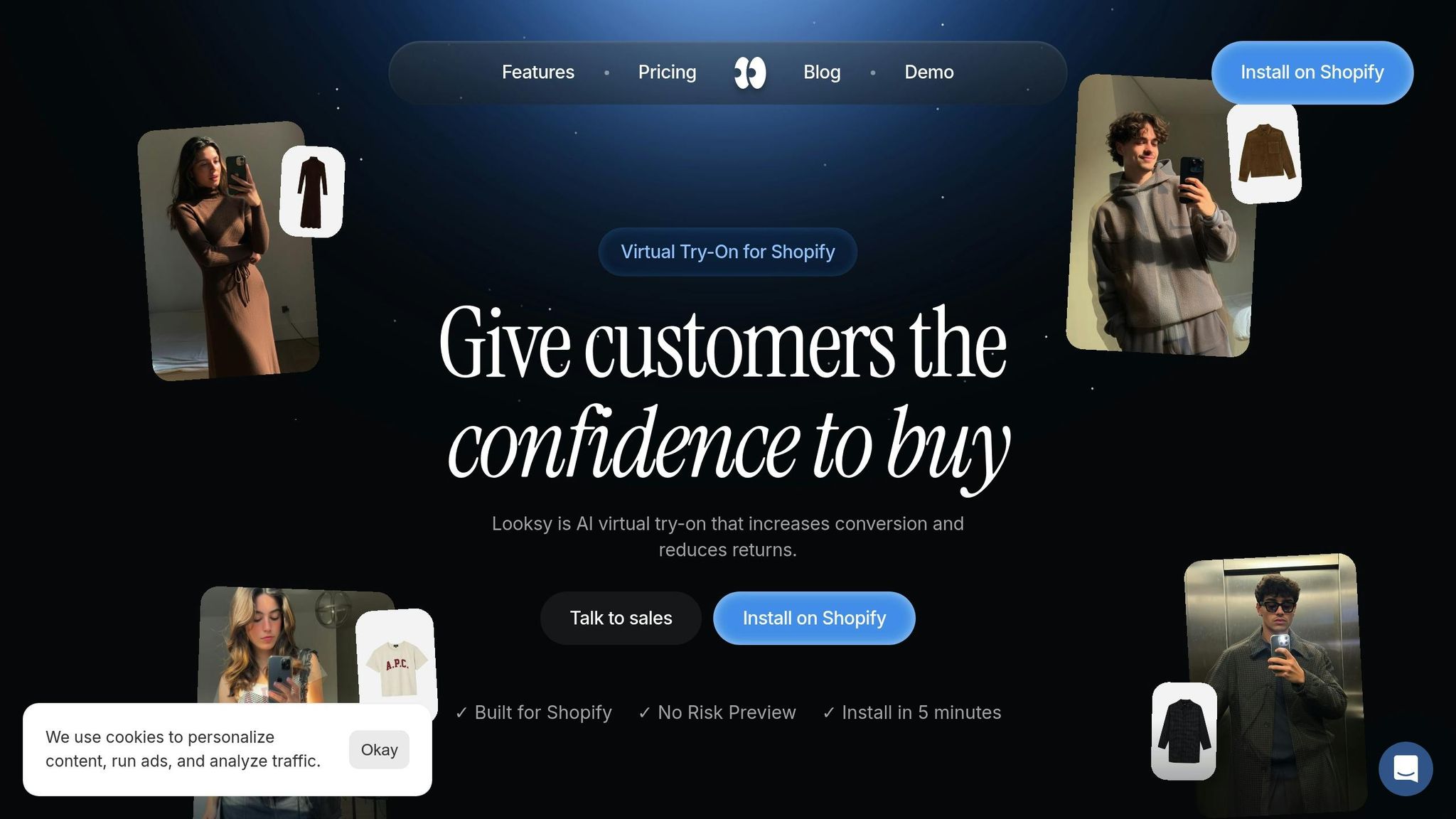
Installing Looksy on Shopify
To get started with Looksy on your Shopify store, follow a four-week plan: define your KPIs and choose a pilot category, prepare your product data, test the setup on a staging theme, and then launch with a targeted promotional strategy. Looksy’s native Shopify integration makes the process straightforward, requiring minimal development work. During setup, make sure to confirm permissions for camera access, analytics tracking, and data sharing. Test the widget on a staging theme to ensure it loads quickly and displays accurately. Finally, place a clear and visible “Try it on now” button prominently at the top of your product pages. This setup helps reduce returns and boost conversions by giving customers the confidence to purchase.
Once Looksy is installed and running, the next step is to optimize your product assets to ensure the virtual try-on feature works seamlessly.
Preparing Product Assets for Virtual Try-On
For the best results, use high-resolution images (at least 1,024 pixels) taken from multiple angles in neutral lighting conditions. When photographing apparel, models should face forward with their arms down to clearly showcase garment details, avoiding any obstructions like hands or accessories.
If you’re using 3D models, keep them optimized for mobile devices by limiting models to under 50,000 polygons and file sizes to under 5MB. Make sure metadata is consistent across all SKUs by using standardized naming conventions (e.g., “waist_circumference_in”) and uniform size charts. Organize assets by product type - such as tops, bottoms, dresses, or eyewear - to help the AI accurately calculate overlays and fit.
Once your product assets are ready, you can use Looksy’s analytics tools to refine your strategy and maximize performance.
Using Looksy Analytics for Optimization
Looksy’s analytics dashboard provides valuable insights into key engagement metrics, such as the number of try-on sessions, add-to-cart rates from try-ons, and conversion attribution. By tracking these metrics, you can identify which products resonate most with your audience.
Pay close attention to return rates for each SKU to spot potential fit issues. Additionally, monitor interaction times and exit rates to ensure your AR assets load quickly and maintain user interest. For example, in 2024, Rebecca Minkoff reported that customers who interacted with products using 3D or AR were 44% more likely to add items to their carts and 65% more likely to complete a purchase compared to those who didn’t. Use these insights to guide your merchandising strategies and inventory planning. As you gather more data, you can expand virtual try-on to additional categories, focusing on products that show the strongest engagement and conversion rates.
Measuring Impact and Maintaining Performance
Key Metrics to Track
Before rolling out Looksy, it’s essential to set baseline metrics to measure how virtual try-on impacts your business. Start by comparing the conversion rates of users who engage with the tool versus those who don’t. Keep a close eye on return rates, especially those flagged as “incorrect fit” or “item not as described.” Studies show that virtual try-on can slash return rates by up to 64%, which is significant when you consider that returns often cost anywhere from 20% to 65% of an item’s value.
Other metrics to monitor include engagement indicators like session duration and the number of try-on interactions. Also, compare the Average Order Value (AOV) of customers who use the virtual try-on feature against those who don’t. During the first few weeks, review these metrics daily to quickly identify and address any friction points. Segmenting your customers in your CRM based on their virtual try-on usage can provide even deeper insights into how the tool influences shopping behavior.
Once these metrics are established, focus on continuous optimization to maintain and improve performance.
Best Practices for Maintaining Performance
To ensure a seamless experience, test the virtual try-on tool across a wide range of U.S. mobile devices and browsers. This guarantees compatibility with popular AR frameworks like WebAR, ARKit, and ARCore. Keep 3D models lightweight - ideally under 5MB and with no more than 50,000 polygons - to ensure fast load times on mobile devices. Implement techniques like lazy or deferred loading to prevent heavy assets from slowing the initial page load, and use CDNs to speed up media delivery.
Perform quarterly audits on a random selection of products to confirm they meet your asset standards. Check that textures, colors, and scaling remain accurate, and maintain strict naming conventions and version control for all digital assets. This helps avoid disruptions to the live virtual try-on experience. If certain products continue to have high return rates despite the use of virtual try-on, reevaluate their imagery or sizing information for potential updates.
While optimizing performance is crucial, safeguarding user data is equally important.
Privacy and Security Considerations
Building on earlier discussions about streamlined data processing, robust privacy measures are essential for earning and maintaining customer trust. Looksy only retains derived data, like body landmarks or measurements, ensuring customer privacy while still delivering precise try-on results. Use real-time privacy prompts to clearly notify users when their data is being collected, rather than relying solely on lengthy privacy policies.
Biometric data, being permanent, requires the highest level of protection. Looksy’s design prioritizes privacy, adhering to regulations like BIPA (Illinois), CUBI (Texas), GDPR (European Union), and CCPA (California). By leveraging encrypted storage and real-time processing, the tool ensures sensitive data is neither transmitted to nor stored on external servers. This not only builds customer confidence but also reduces legal risks - over 1,500 class-action lawsuits have been filed under BIPA in the past six years due to improper handling of biometric data.
Conclusion
Key Takeaways from Virtual Try-On Technology
Virtual try-on technology has grown into an essential tool for online retailers by 2026. By blending augmented reality (AR) overlays with AI-powered body mapping, these tools solve one of e-commerce’s biggest hurdles: uncertainty about fit and style. When shoppers can visualize how a product will look on them before purchasing, they make quicker and more confident choices. Studies reveal that AR experiences can increase conversion rates by 20–30% and boost purchase completions by 65%.
But the advantages go beyond just higher sales. Virtual try-on also tackles the expensive issue of returns. In 2025, online purchase returns were estimated to exceed 19%. With better initial fit and style matching, return rates can drop by as much as 64%. This not only protects profit margins and reduces logistical headaches but also cuts down on the environmental impact of reverse shipping. Additionally, the interactive nature of these tools keeps customers engaged longer, provides valuable personalization data, and fosters long-term loyalty.
Why Looksy Works for Shopify Stores
Looksy builds on these benefits by offering a hassle-free solution for Shopify merchants. It eliminates the need for complex custom setups, allowing businesses to integrate virtual try-on technology in minutes. No app downloads are required - Looksy operates seamlessly through mobile browsers using WebAR. Shoppers can simply upload a photo and see instant results, making the process smooth and user-friendly.
Prioritizing customer privacy, Looksy only retains derived data, such as body landmarks, and does not store raw images. The platform also provides detailed analytics, like how often products are tried on and how try-on usage impacts conversions. This helps merchants fine-tune their inventory and marketing strategies while delivering a top-notch customer experience.
With a free plan and paid plans starting at $14.99 per month, Looksy makes virtual try-on technology accessible to businesses of any size. Whether you’re handling 200 try-ons a month or scaling up to thousands, Looksy adapts to your needs while maintaining fast load times and precise visualizations. With its combination of simplicity, powerful analytics, and a privacy-first approach, Looksy is a smart choice for driving e-commerce success.
FAQs
How does virtual try-on technology protect customer privacy and data security?
Virtual try-on technology takes customer privacy seriously by handling data directly on users’ devices rather than relying on cloud storage. This approach ensures that no photos, facial scans, or biometric data are stored, and any visual information is immediately discarded after the session ends.
Many platforms use anonymized facial mapping, which transforms a user’s facial features into abstract mathematical data points instead of keeping actual images. This method keeps personal details secure and prevents the possibility of re-identification. By implementing these measures, virtual try-on tools significantly lower the chances of data breaches or misuse of biometric information.
Moreover, these technologies often align with strict privacy laws like the GDPR and the Illinois Biometric Information Privacy Act. They achieve this by limiting data collection and requiring clear user consent. Together, on-device processing, anonymization, and compliance with regulations create a secure and stress-free experience for users.
What do I need to set up virtual try-on technology for my e-commerce store?
To incorporate virtual try-on technology into your e-commerce store, you’ll need three main components: AR/AI technology, 3D product models, and platform integration tools.
First up is the AR/AI engine, which handles real-time camera input and overlays products onto a shopper’s body or face. Augmented reality ensures the visuals look realistic, while AI analyzes body measurements or facial features for an accurate fit. This setup requires access to the device’s camera and solid processing power to deliver a smooth, responsive experience.
Next, you’ll need detailed 3D models of your products, whether they’re clothing, accessories, or cosmetics. These models should have precise textures, proper sizing, and - for apparel - realistic movement and fit characteristics. Including metadata like size charts and material details helps the AI personalize recommendations for each shopper.
Finally, platform integration brings everything together. Using tools like software development kits (SDKs) or APIs, you can embed the virtual try-on feature directly into your e-commerce platform. These tools manage tasks such as loading 3D models, handling camera permissions, and tracking performance analytics to evaluate how the feature affects sales and returns.
With these components in place, you can deliver a virtual try-on experience that boosts customer confidence and minimizes returns.
How does virtual try-on technology reduce returns and improve customer satisfaction?
Virtual try-on technology gives shoppers the chance to see how items like clothing, accessories, or makeup will look on them in real time. This realistic preview of fit and style helps customers feel more confident about their choices, which can lead to fewer returns.
Beyond that, it makes shopping more engaging and tailored to individual preferences. This interactive experience not only boosts customer satisfaction but also strengthens trust and loyalty toward the brand.